The problem with having to decide where to write
There's a moment in the middle of a work session when ideas are chaining into each other, and the tool you're using becomes the obstacle. You have to decide: is this a task? which project does it belong to? do I save it as a note or a reminder? That moment of friction, small as it seems, is enough for the thread of thought to break.
Classic outliners — Workflowy, Notion — exist precisely to bring structure to that chaos. But they ask you to build it: you decide the hierarchy, you nest, you move things. Fromly starts from a different premise: write first, in the chat, in natural language. Organize after — and in most cases, Fromly organizes for you.
You don't decide the structure before you write. You write in Fromly's chat, and Fromly detects whether it's a task, a note, an event, or a resource, and files it in the right context — without you opening a modal, picking a type, or filling in a field.
How Fromly organizes what you write
Every note, task, or idea you write belongs to a context: an Area or a Project from your left-hand column. Fromly recognizes what you're talking about from the language you use and groups it there automatically. If you mention a project that already exists, it links to it. If you write a date, it schedules it. If it's a loose idea with no date or concrete action, it stays accessible as a note, without forcing it to fit anywhere.
This is different from organizing folders or tags by hand. You don't classify anything yourself: you write naturally, and Fromly does the work of finding each thing a home.
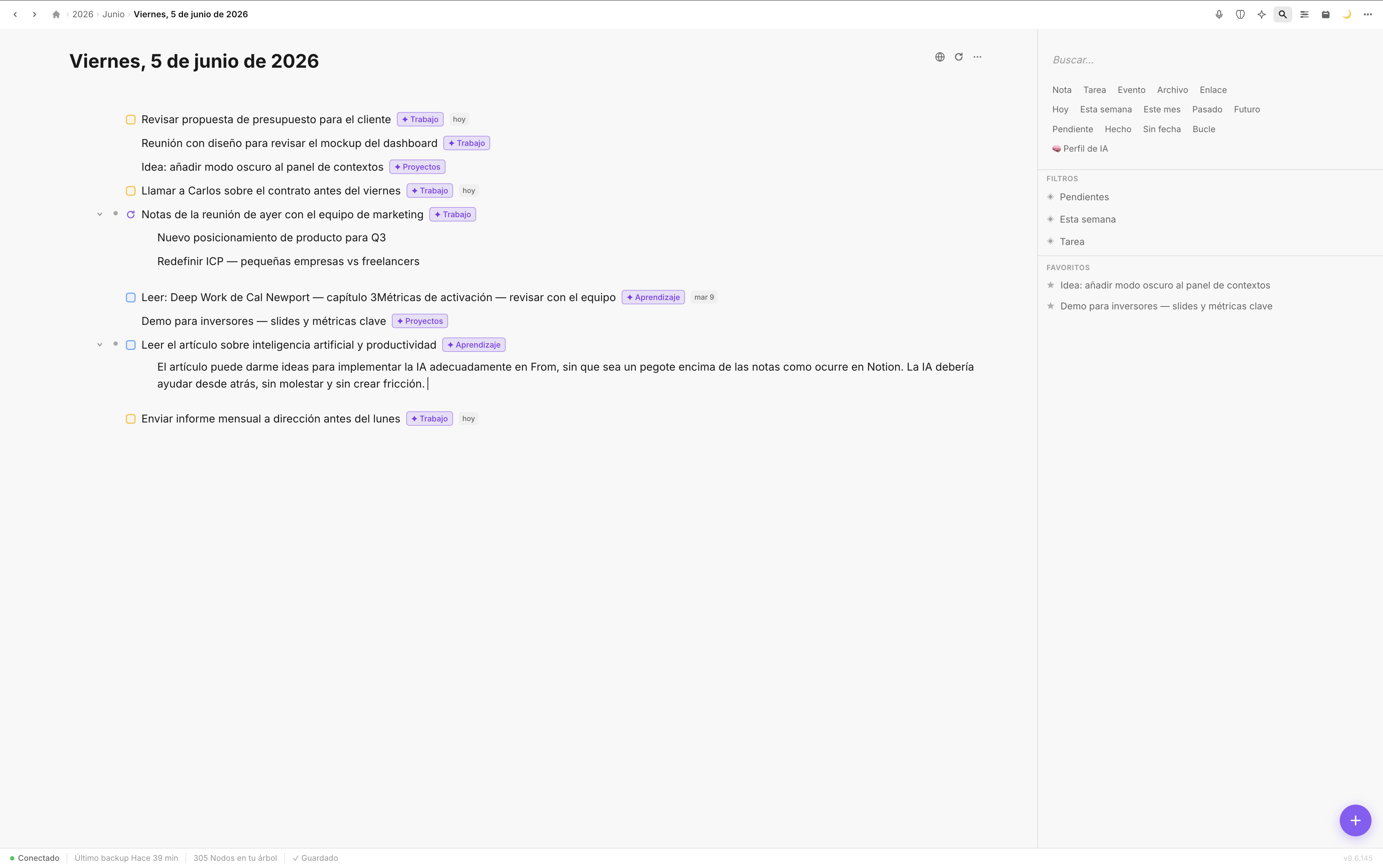
Notes, tasks, projects, and resources — each one filed into its context automatically.
When you want manual structure: document mode
Sometimes the chat isn't what you need — you want to write something longer, with headings, nested lists, and move through a hierarchy yourself. For that, inside any context you can create documents: a rich-text editor where you nest, move, and reorganize exactly like in a classic outliner.
- Enter creates a sibling block at the same level.
- Tab nests it as a child of the previous one, without breaking your flow.
- Shift+Tab moves it up a level.
If you've ever used Workflowy or Notion, you already know these shortcuts. The difference is that in Fromly the outliner is one more tool inside your context, not the mandatory front door: you reach for it when you want explicit structure, and let the chat organize the rest.
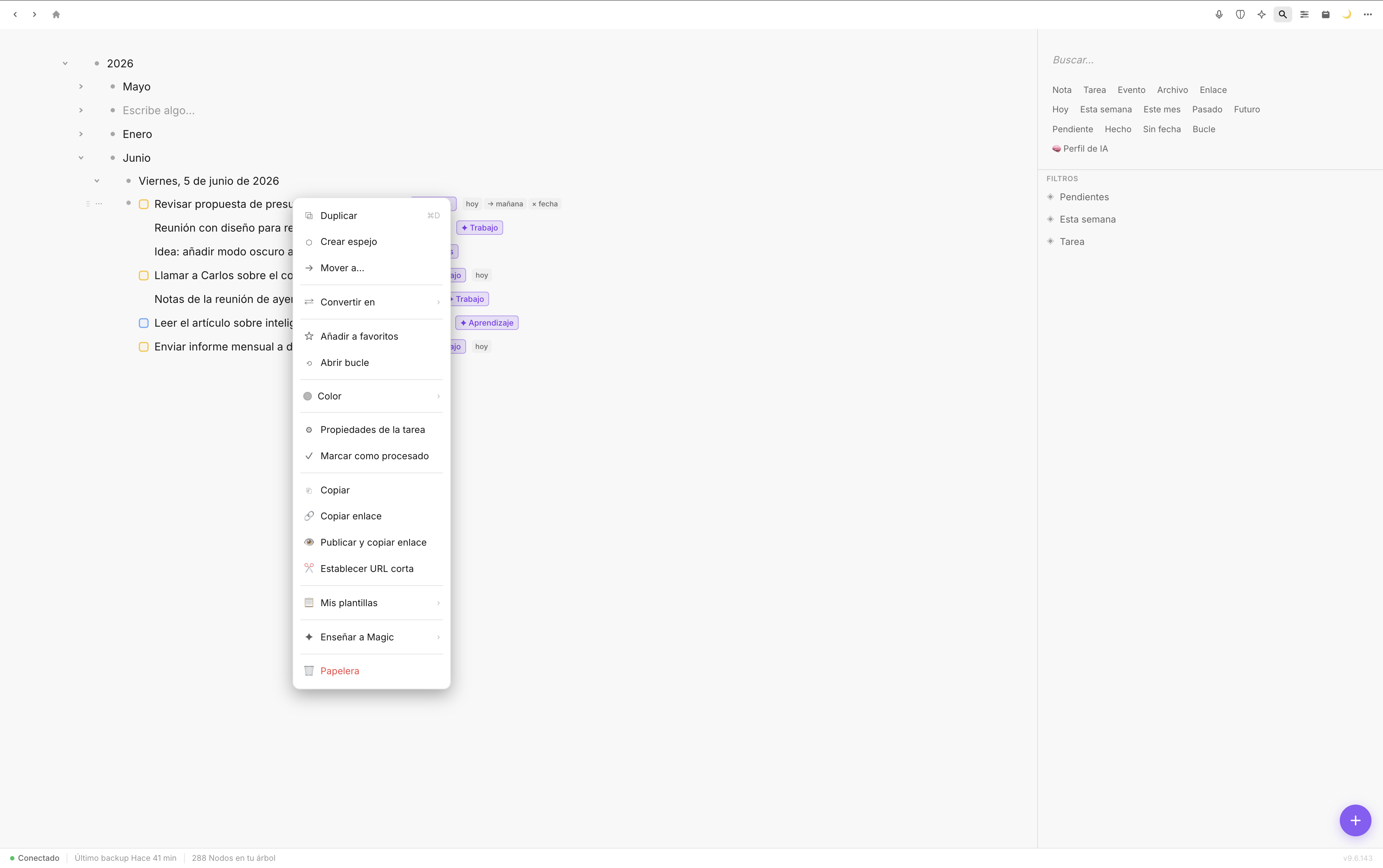
Inside a document: move, duplicate, convert type, or turn into a resource — without leaving your flow.
Reorganizing without friction
Moving blocks inside a document isn't just dragging. You can do it with the keyboard, line by line, without taking your hands off it. Or drag with the mouse when you have a bigger reorganization in mind. Both work equally well, and neither subtasks nor dates get lost when you move something.
A concrete example
Imagine you're planning a launch and you have a mixed list of tasks written in a document. You notice three of them form a "communications" block and four others are "technical." You select, move, add a heading for each group. In thirty seconds you have structure where there was chaos — no menus, no forms, no losing focus. And if instead of reorganizing a whole document you just want to capture and classify quickly, you go back to the chat and let Fromly handle it.
Elements: see only what matters now
When you have many contexts and many documents, you need to find things without digging. The Elements tab is the search across everything you've saved — tasks, notes, documents, files — filterable by context, status, or date, without flattening anything. You see tasks inside their projects, not in a disconnected list.
This is what sets Fromly's approach apart: filters don't destroy context, they reveal it. You still see where everything lives while filtering by type, status, or date.
Conclusion
A good tool doesn't make you work faster because it has more features. It makes you work faster because it stops asking you to decide before you write. Fromly is built on that philosophy: you write in the chat and it files itself in its context. And when you genuinely want to build structure by hand — nest, move, reorganize like a classic outliner — that tool is still there, inside every document, waiting for you to use it when you need it, not before.