Write on Mac. Open iPhone. It's there.
There's no sync button. No spinner while you wait. No "updating from iCloud" message. You wrote it ten seconds ago on the Mac and it's already on the iPhone, exactly as you left it.
That's how Fromly works. And it's not magic — it's infrastructure of its own.
The problem with iCloud Drive
If you've used any file-based notes or productivity app, you know the pain. iCloud Drive syncs when it can: when there's a good connection, when the system decides it's time, when the stars align. Sometimes it takes seconds. Sometimes minutes. Sometimes you find yourself editing an old version without knowing there's a newer one on another device.
The underlying problem is that iCloud Drive is designed for files, not for real-time structured data. Apps that use it as a backend are limited by those constraints from day one.
Fromly doesn't use iCloud Drive. It has its own server.
Private server: what it means in practice
When you write something in Fromly's chat — a note, a task, a message the AI turns into something structured, a change made from within a context — that change goes straight to Fromly's server, by operations (a real-time op-log, the same approach tools like WorkFlowy use): it never infers a deletion, so it never loses or overwrites anything by mistake. When you open Fromly on another device, the server already has that information. No middlemen, no local file systems to reconcile, no dependency on iCloud's state at that exact moment.
The result is predictable: what you write on one device shows up on the others within seconds, regardless of whether iCloud is enabled, regardless of the state of your Apple account.
This has concrete implications for real work:
- You tell the chat something on your iPhone over breakfast. By the time you sit at the Mac, it's already classified into its context.
- You reorganize your contexts and projects from the web at work. At home, on the Mac, you see the updated structure.
- A change made by an automated agent or through the Claude connector shows up the same way, without a manual refresh.
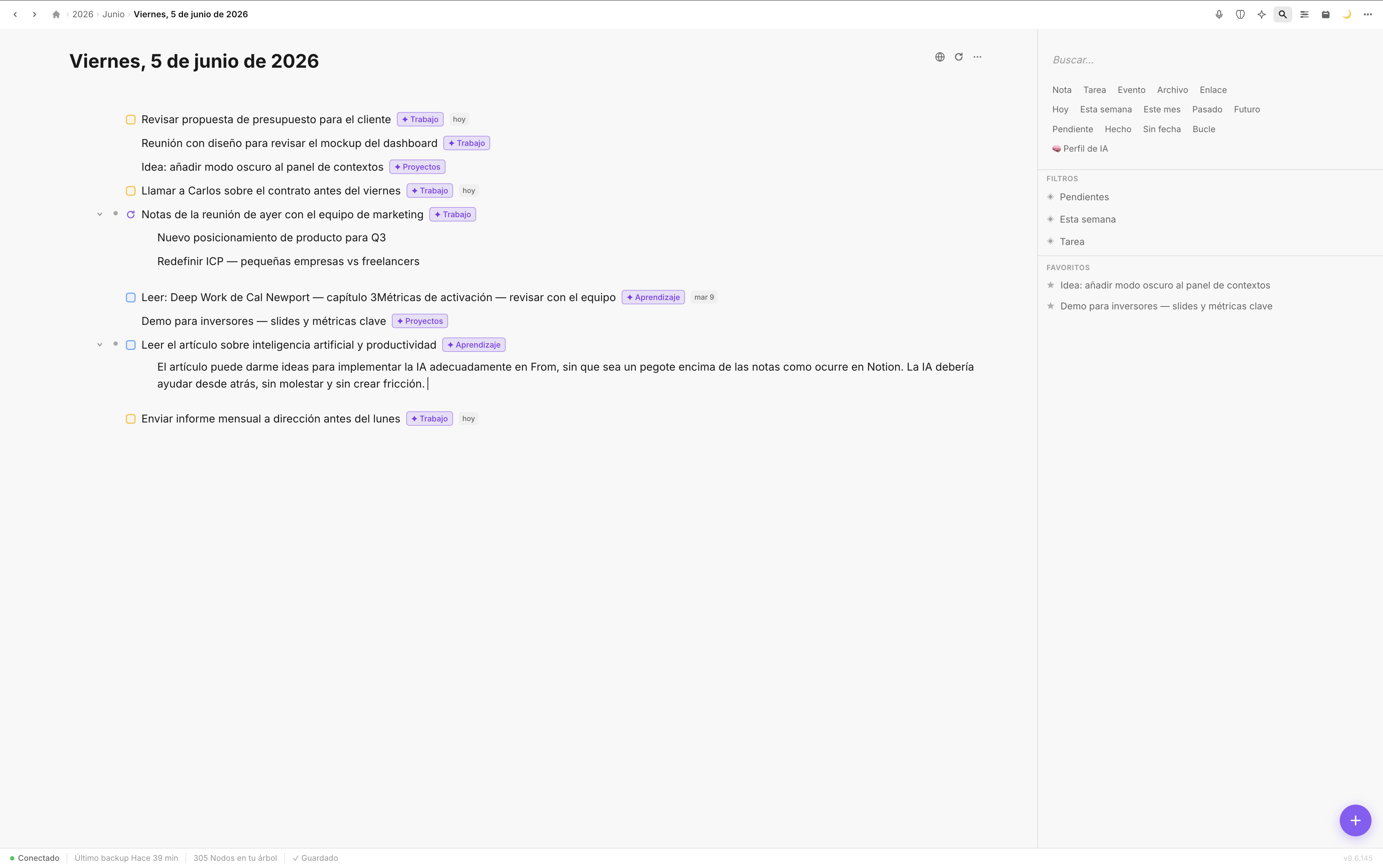
Contexts, chat, tasks, and notes stay in sync across every device in real time.
Sync as part of the experience, not a separate feature
In most apps, sync is something that happens "behind the scenes" and you only notice when it fails. In Fromly, it's built into the core of the product. It's not a bolted-on system; it's the reason the app exists the way it does.
Fromly is a chat-first, web-first app, with Mac (a Tauri app, sharing the same code as the web) and iPhone (native Swift, in progressive parity with the web). All three versions share the same backend. There are no local files to reconcile. No version conflicts. No decisions to make about which copy is the "good" one.
Web, Mac and iPhone: three ways to reach the same place
You can use Fromly from the browser on any computer, from the native app on Mac, and from your iPhone. All three are windows into the same chat, the same contexts, and the same memory. Change something in one and the others reflect it.
This has specific value if you work across several settings throughout the day: at home, at the office, on the move. You don't need to think about which device has the most current version. It's always the same version.
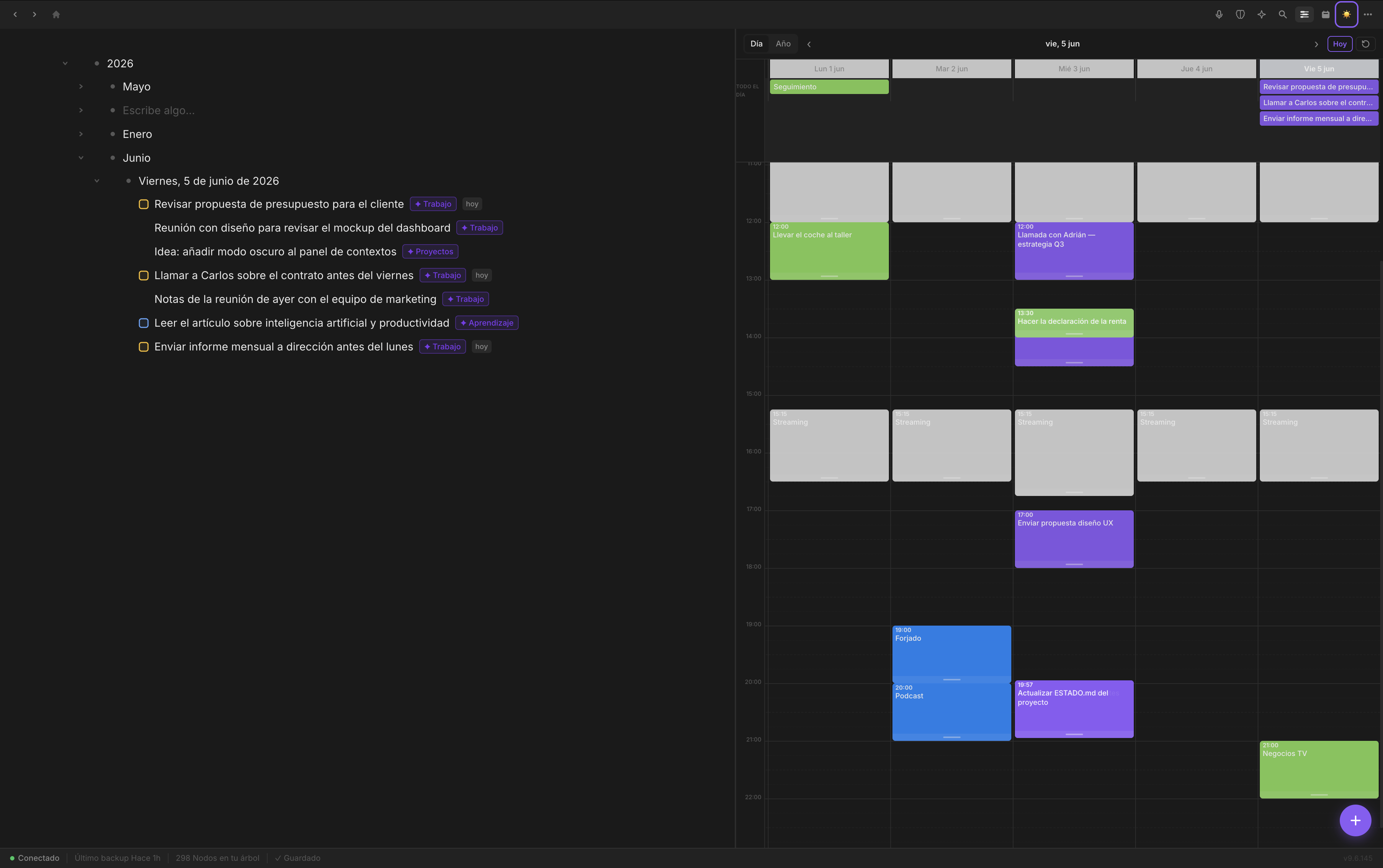
Today's note is always up to date, no matter where you last edited it.
How to use it without thinking about it
Fromly's sync requires no configuration. You create an account, install the app on the devices you use, and that's it. From there, Fromly keeps everything aligned.
- Install Fromly on Mac and iPhone (and access it from the web when you're on another computer).
- Use whichever device is at hand at any given moment. There's no hierarchy between platforms.
- Trust that it's there. You don't need to hunt for sync buttons or check whether iCloud is working.
The goal of Fromly isn't for you to think about how sync works. It's for you to never have to think about it at all.
Why trusting the tool matters
There's a difference between using a tool and trusting a tool. When you trust that your data is where you left it, you stop spending mental energy verifying it. You stop having that small doubt when you open the chat: "does it have the latest context?".
That accumulated friction — small in each instance, significant over time — is what Fromly removes with its own-server architecture. It's not a minor technical detail. It's the foundation a productivity tool needs if it wants to be genuinely trustworthy.
Fromly doesn't depend on iCloud Drive. It has its own server. Your chat, notes, tasks, and contexts are always in sync across web, Mac, and iPhone. No waiting. No friction. No thinking about it.