The meeting ended. Now what?
You just finished a 45-minute call. You have a rough idea of what was decided, a few things scribbled in a notebook, and three browser tabs you opened during the conversation. Somewhere in there are four action items — you're just not sure whose they are or when they're due.
This is the gap between every meeting and every project: the moment where information exists only in your head, and the cost of losing it is measured in dropped tasks and forgotten commitments.
Fromly closes that gap. Not with a complicated workflow. With a single key.
One button, any length
The Record button lives in the chat header, next to +Note and +Task. It works just as well for a ten-second voice note as for an hour-long meeting — there's no mode to pick before you start.
The moment you hit Record, you see an animated icon and a running timer. If your browser supports it, you also see a live transcript appearing line by line as you talk — you don't have to wait until the end to know it's capturing correctly. When you hit stop, Fromly shows "Processing…" for a few seconds while it puts together the final result.
Whether it's an informal chat, a quick idea, or a long client call, the output is the same: a transcript, a summary, and extracted tasks — all structured and ready to work with inside Fromly.
You don't configure anything. You don't pick a language or a model or a format. Fromly handles all of that. Your only job is to speak.
What Fromly actually does with your recording
When you stop recording, Fromly doesn't just dump a wall of text into a note. It processes the audio and produces three distinct outputs:
- Transcript: A clean, readable version of everything said. Useful if you need to search for a specific quote or share what was discussed.
- Summary: A concise overview of the key points. One paragraph, no noise.
- Tasks: Extracted action items, already formatted as tasks inside Fromly. If someone said "I'll send you the proposal by Friday," that becomes a task.
Fromly doesn't just transcribe — it understands context. It knows the difference between a decision made, a question raised, and a commitment given. The tasks it extracts are the ones that actually need to happen, not every sentence that sounded vaguely actionable.
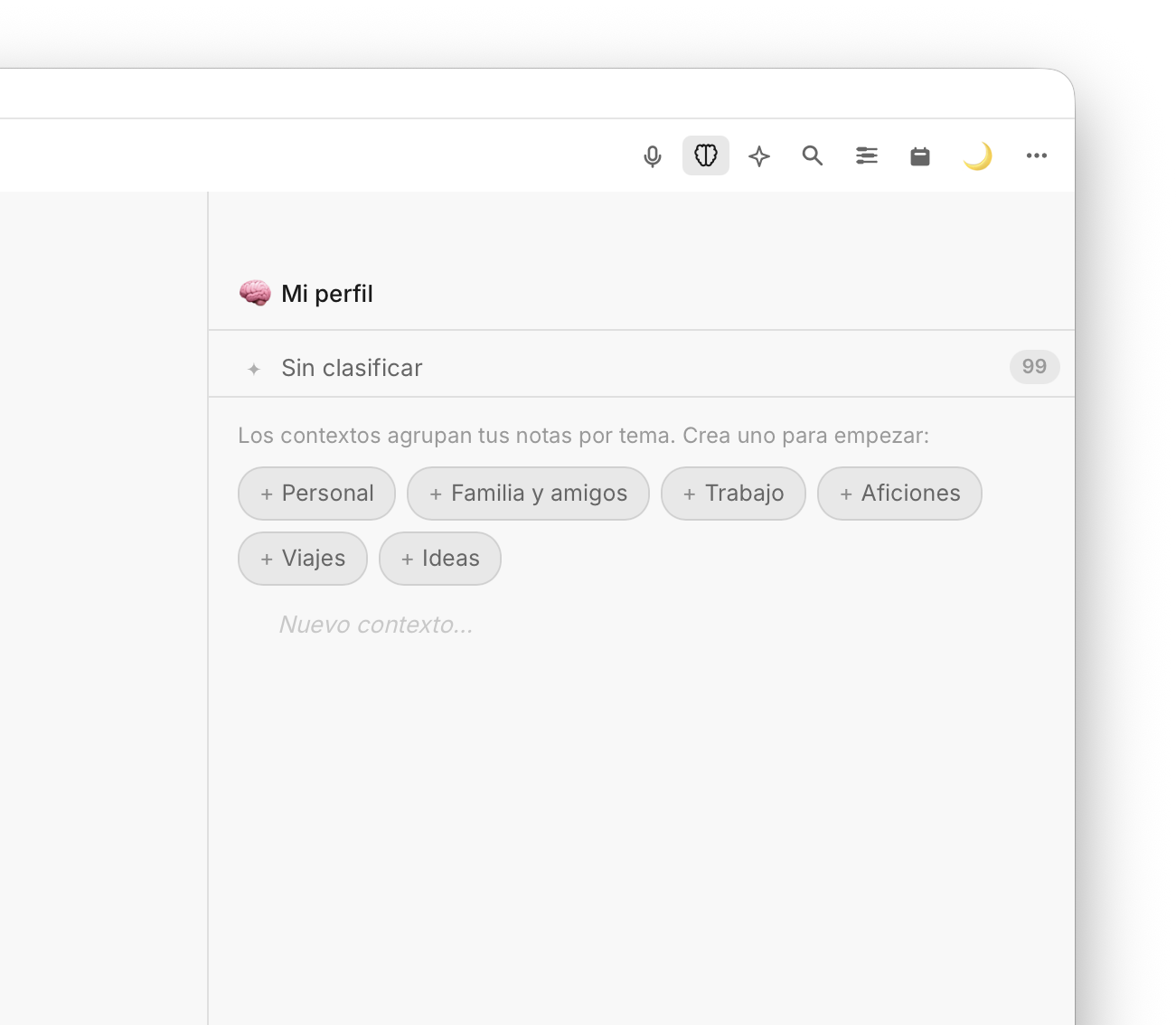
Fromly surfaces the information that matters — tasks, summaries, structured notes.
Where the tasks land
Once Fromly extracts your tasks, they appear in your outline as regular Fromly nodes — which means they're immediately part of your system. You can:
- Assign them a date and have them show up in the Planner
- Nest them under the project or context they belong to
- Filter them with the pending tasks view to see only what needs action
- Mark them done as you work through them
There's no import step, no copy-paste, no reformatting. The meeting ends, the tasks exist. That's the complete workflow.
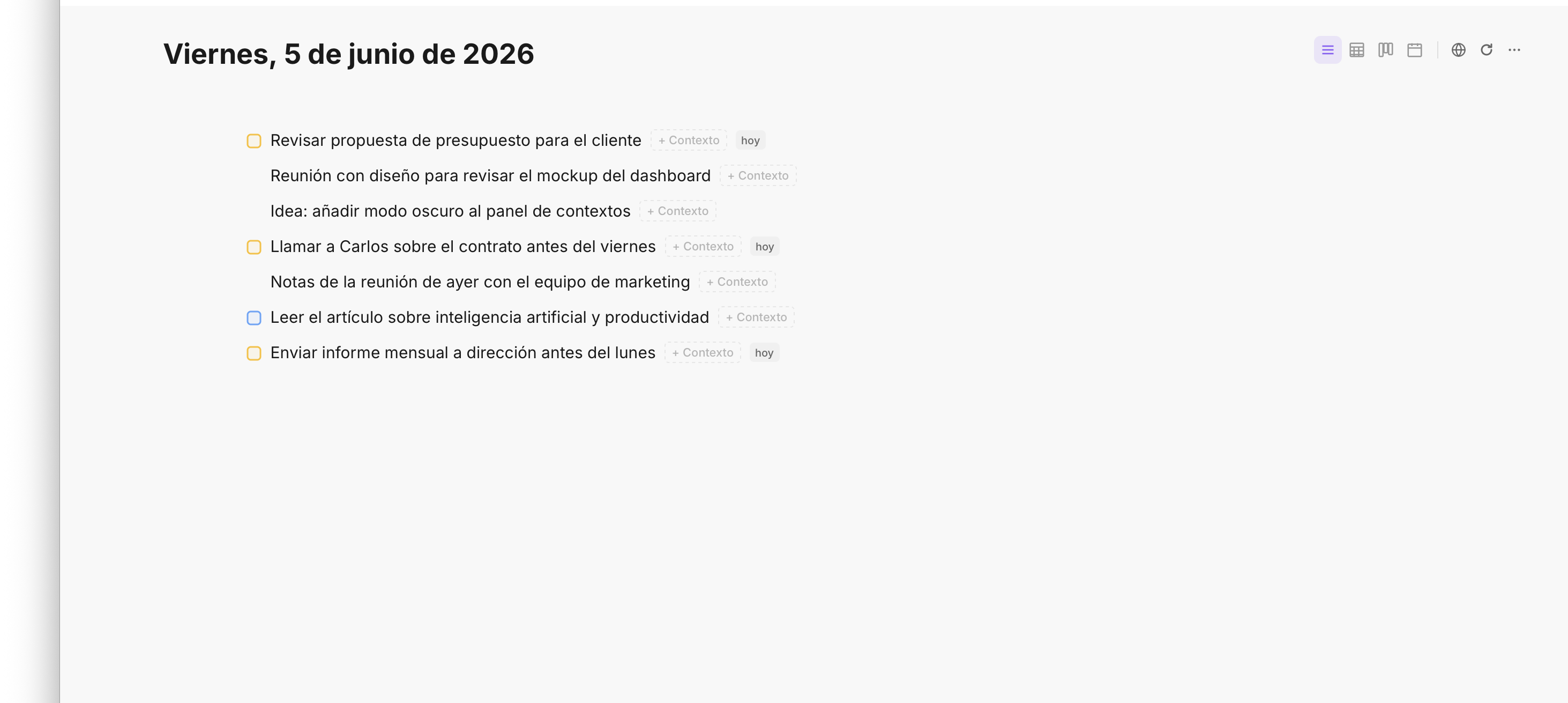
Extracted tasks slot into your existing structure — no friction, no extra steps.
For everyday moments
You don't need a full meeting to get value from Fromly's recorder. Hit Record for a few seconds and it's designed for the moments between meetings:
- A thought while walking to your next call
- A task someone mentioned in the hallway
- A decision you made alone that needs to be captured before it evaporates
Hit Record, say "remind me to follow up with Carlos about the invoice next Tuesday," stop. Fromly transcribes it, detects the task, sets the date. You keep walking.
For structured sessions
For meetings, client calls, or team syncs, the same recorder is the right tool — just let it run longer. Start it before the call begins. Stop it when you're done. Fromly processes the full audio and returns a structured summary with tasks pulled from the entire conversation — not just the last thing that was said.
This is particularly useful for calls where commitments are spread throughout: someone says they'll handle something at minute 5, someone else volunteers at minute 32, and you make a decision together at minute 41. Fromly tracks all of it.
The recorder works well even in imperfect audio conditions — background noise, multiple speakers, overlapping voices. Fromly focuses on extracting meaning, not just words.
Integrated, not bolted on
Most tools that offer meeting transcription exist as separate apps you have to open, configure, and then copy information out of. Fromly's recorder is built into the same space where you plan your day, manage your projects, and write your notes.
When a task comes out of a recording, it lives next to your other tasks. When a summary is generated, it becomes a note in your outline — searchable, nestable, linkable. Nothing exists in a silo.
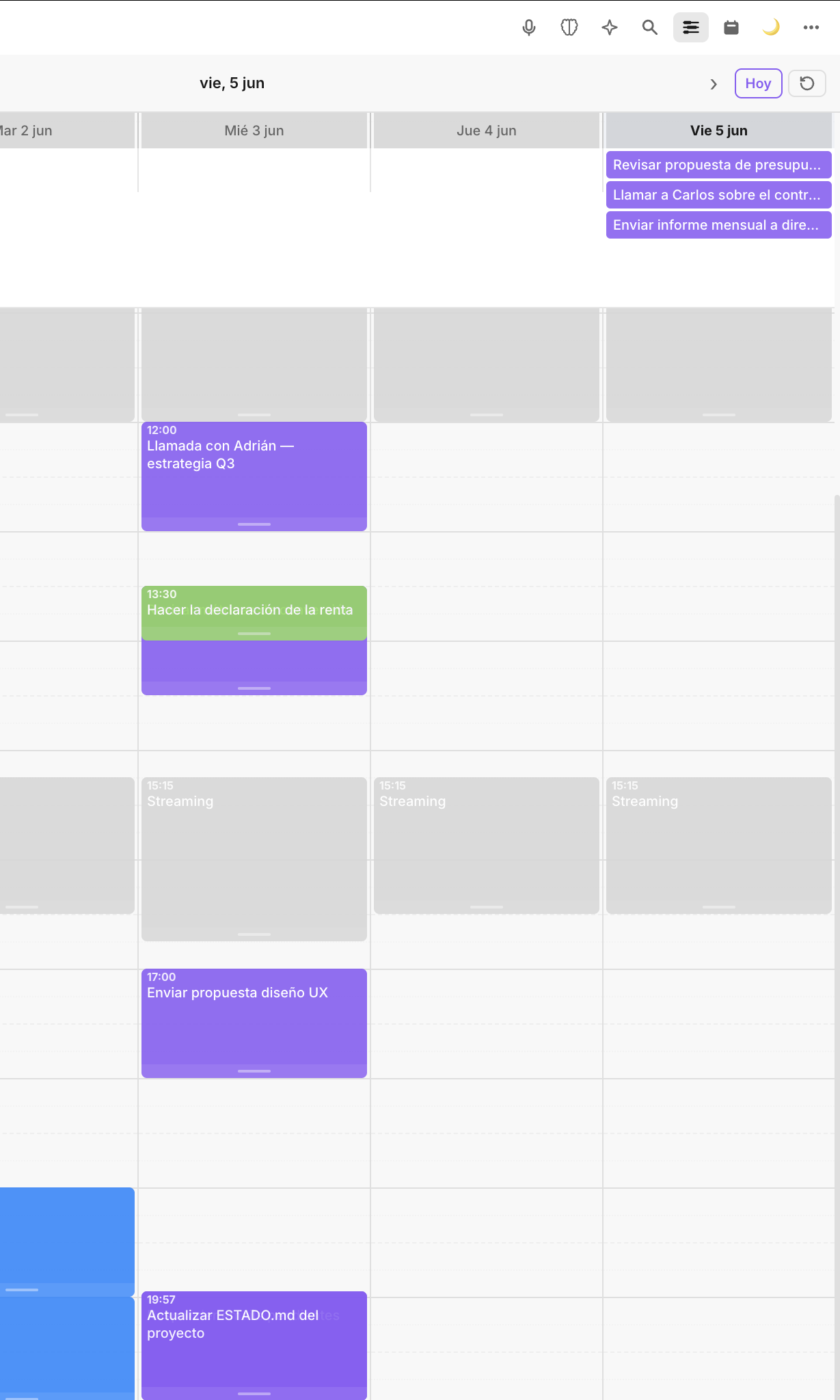
Tasks extracted from meetings show up in the Planner alongside everything else you need to do.
How to use it — the short version
- For quick captures: hit Record, speak naturally, stop.
- For meetings: hit Record before the call, stop it after.
- Review the extracted tasks, adjust dates or contexts if needed.
- Done.
The meeting doesn't end when the call drops
The real end of a meeting is when all its tasks are captured and assigned. Fromly makes that moment happen automatically — so you can close the tab, open the next one, and trust that nothing slipped through. Speak once. Fromly handles the rest.