The problem no one names: finding what you already wrote
You have hundreds of notes, pending tasks, events, and files piling up. It's all there, somewhere. The problem isn't that you didn't write it down — it's that finding it exactly when you need it usually costs more effort than it should.
With Fromly, most of the time you don't even need to "search": you ask the central chat directly — "what was I supposed to do on project X?" — and the AI brings it to you. But when you want to explore on your own, compare several things at once, or build a view you'll reuse, Fromly gives you something better than a generic search bar.
Filters that understand what you're looking for
From the Elements tab, Fromly gives you intelligent filters that combine type, date, context, and status in real time. Instead of searching blindly by text, you define exactly what you want to see — and it appears instantly.
Each filter is a chip: a visual selector you can activate, combine, and save. You can filter by:
- Item type: tasks, notes, events, files, or contexts.
- Status: pending, completed, in progress.
- Date: today, this week, overdue, no date.
- Context: a specific area of your life, or a project.
You stack chips and the result updates instantly. There's no "search" button. No waiting. Fromly knows what you have saved and shows it to you based on the criteria you give it.
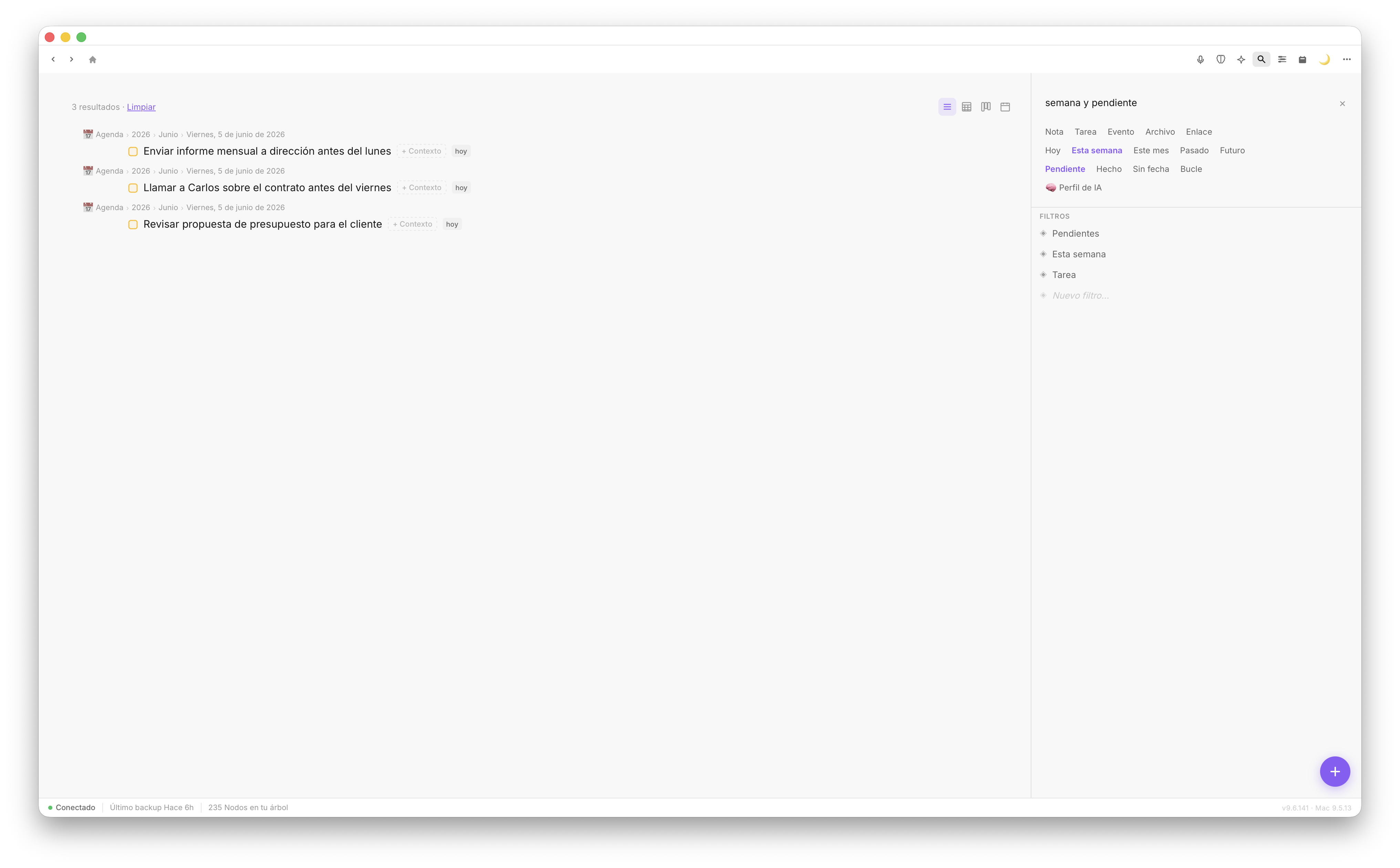
Filter chips combine in real time. One click and the result is there.
A concrete example: this week's pending tasks
Imagine it's nine in the morning and you want to see exactly what's pending for today and tomorrow. In Elements, you activate the "Task" chip and the "This week" chip. Immediate result: every pending task with a date in the coming days, no matter which context they're saved in.
If you also want to focus on a single project, you add the chip for that context. The view adjusts. Everything that doesn't fit disappears. You only see what you need.
This isn't mechanical filtering. Fromly detects the type of each item, its status, and its date because it understands them from the moment you write them. You don't have to tag anything manually — Fromly classifies it as you write, or you can just ask for it in the chat.
Fromly doesn't require you to maintain a perfect tagging system. It understands what you write and classifies it for you. Filters work on top of that understanding, not on metadata you have to maintain yourself.
How to use filters step by step
- Open the Elements tab, in the right column.
- Activate a type chip — for example, "Task" or "Note".
- Add a date chip if you want to narrow by time: today, this week, no date.
- Combine with a context to refine the result to a specific area or project.
- Save the view if you're going to use it often.
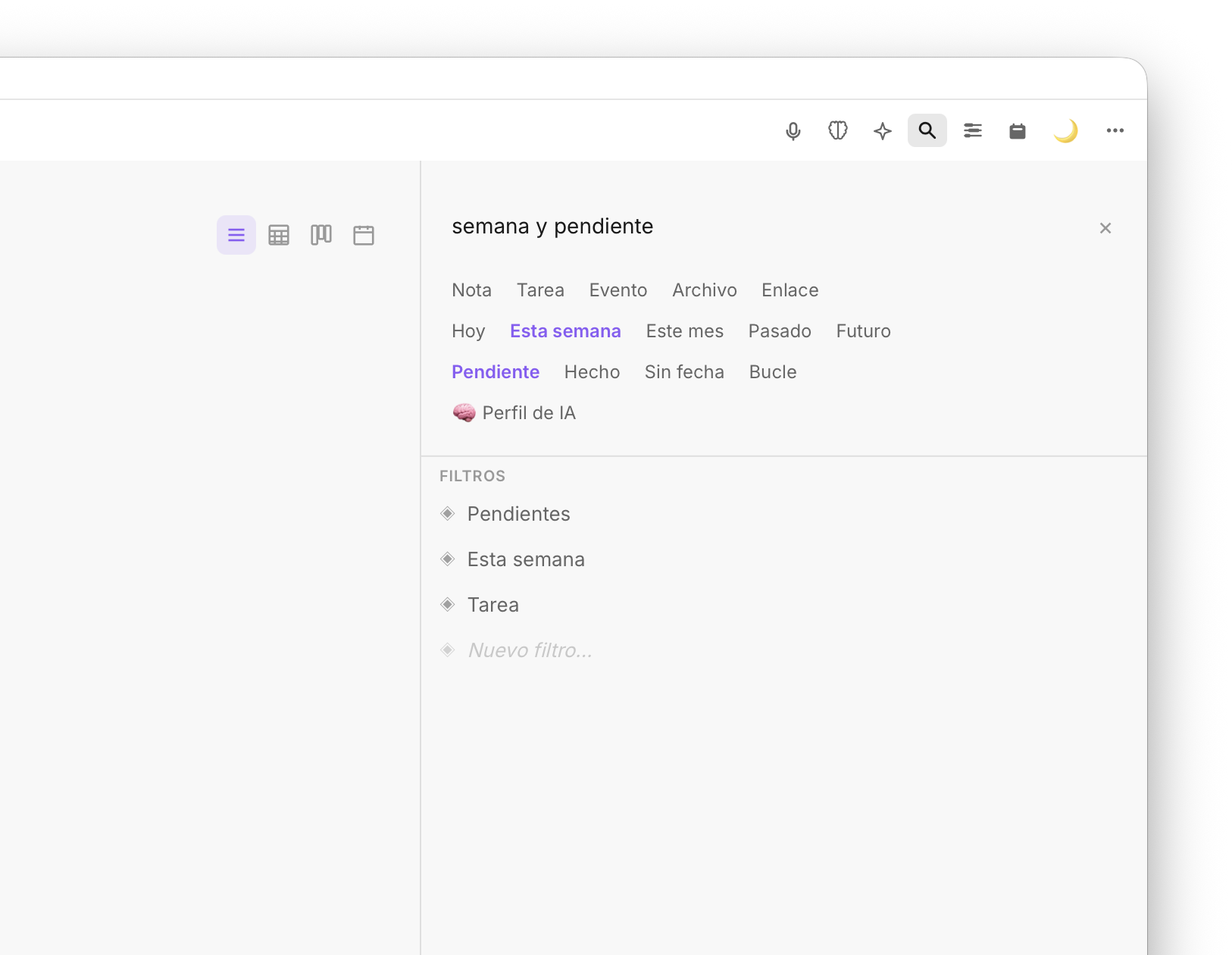
Combining chips creates precise views you can save and reuse.
Save the view as a permanent filter
Here's the most practical part. When you find a filter combination you use daily — say, "today's pending tasks in project X" — you can save it as a fixed view inside Elements.
From that point on, that view is always there. One click and you have exactly what you need, with nothing to reconfigure. It's your custom view, built once and available forever.
This turns filters into more than a search: they become entry points to your whole system of work. You'll have a view for morning work, another for reviewing pending files, another for your weekly check-in. Each one shows exactly what you need at that moment.
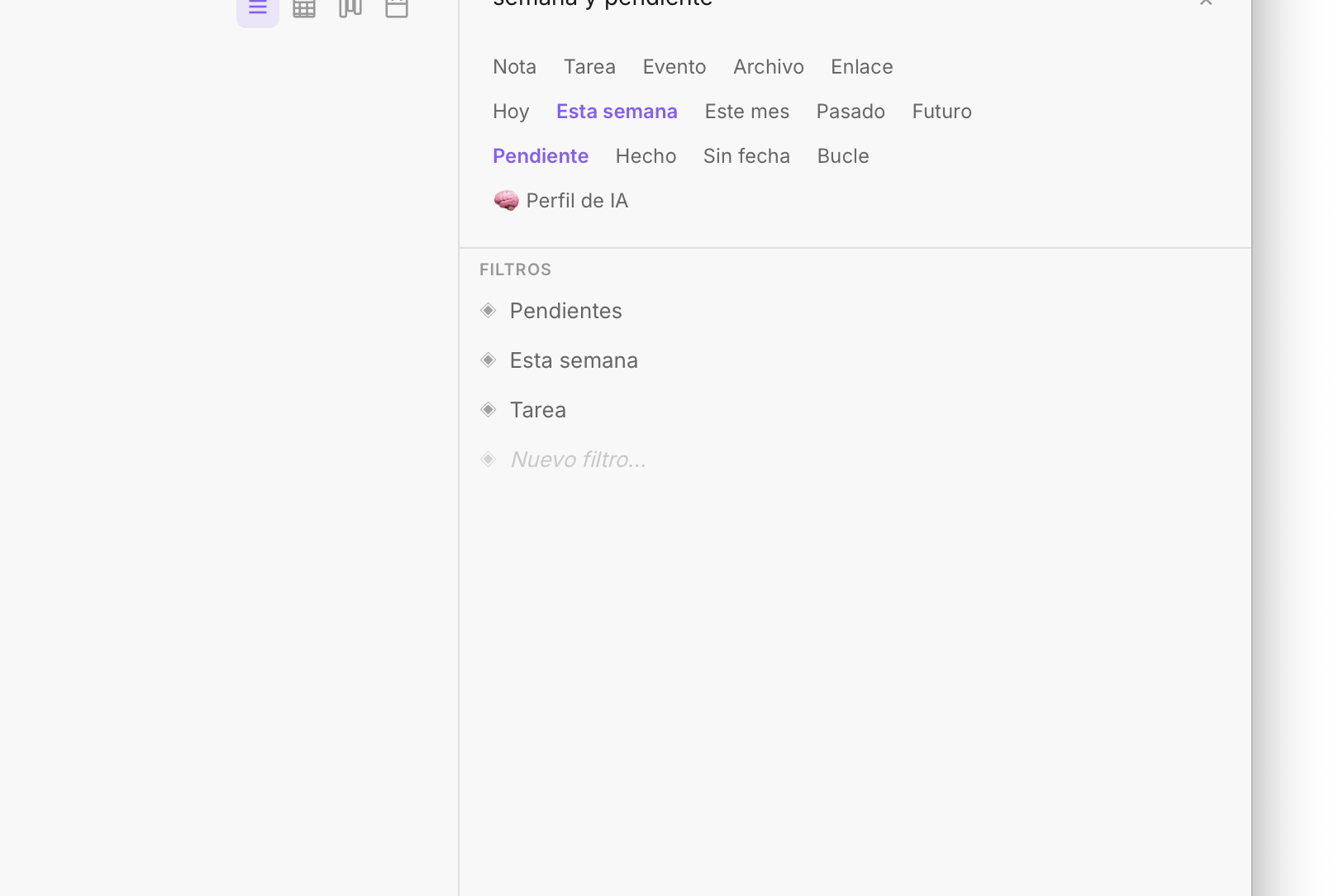
Saved views in Elements are shortcuts to your most-used filters.
Filtering tasks by specific status
One of the most powerful uses is filtering by task status. Fromly distinguishes between pending, completed, and in-progress tasks. You can see at a glance what's left to do, what you closed out this week, or what's been sitting untouched for days.
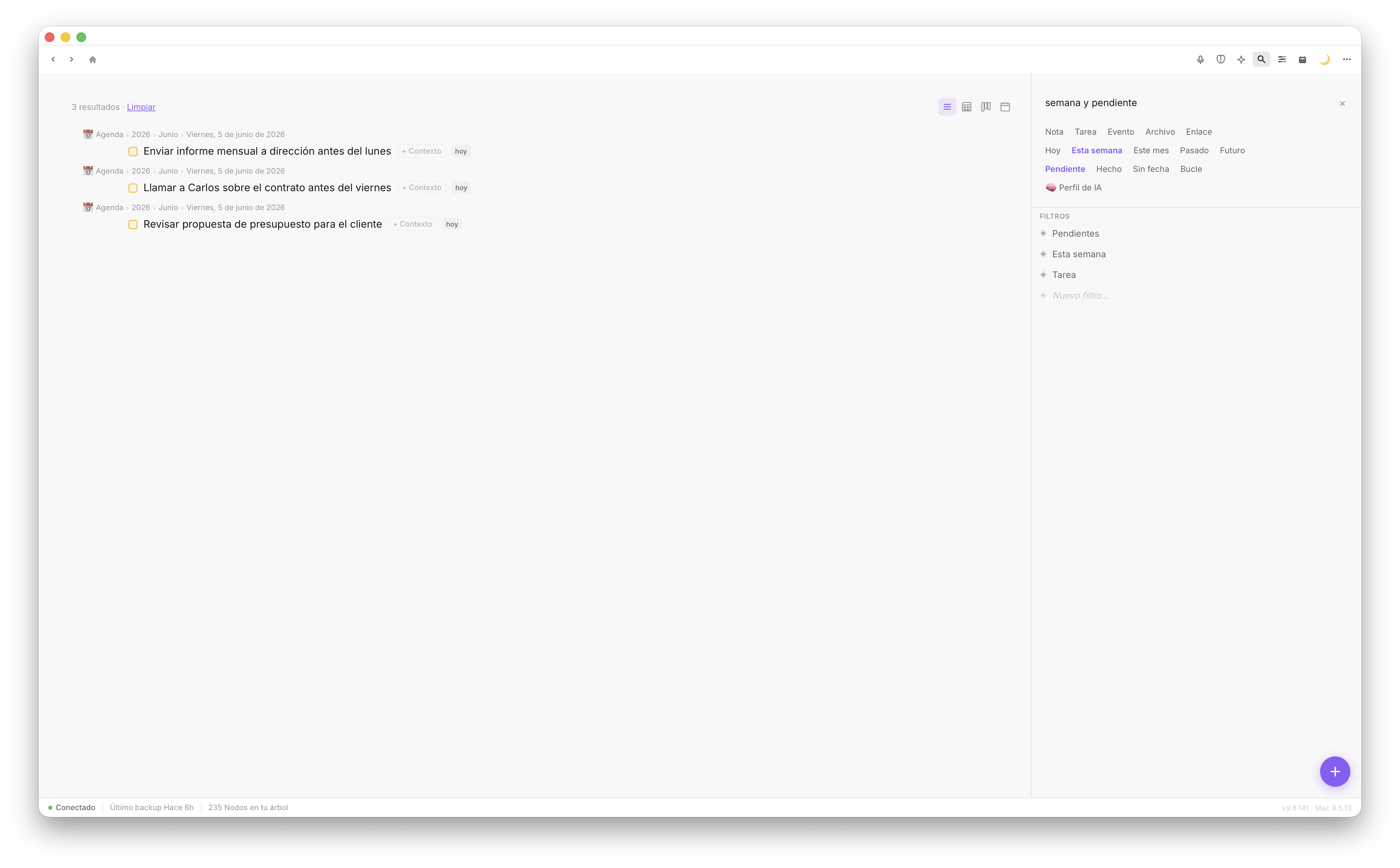
Filter by status to see exactly what's pending, with no noise from what's already done.
This view is especially useful for weekly reviews: activate the "completed this week" filter and you get a real summary of what you moved forward. Or, even simpler, just ask the chat: "summarize what I completed this week".
Conclusion
Fromly's intelligent filters remove the friction of finding what you need exactly when you need it. By combining type, date, context, and status chips in Elements — or simply asking the chat — you go from hundreds of items to exactly what matters right now. And by saving those views, you build a workspace that responds to the way you think, not the other way around.