The work doesn't stop when you do
There's a gap between what you know you should do and what actually happens once you close the laptop. Pending reviews, project summaries that never get written, tasks that sit without a status. It's not laziness — keeping the system current takes more attention than you have to spare.
Fromly solves this in a way that feels obvious in hindsight: let an agent do the maintenance work for you, autonomously, while you sleep or focus on what matters.
An agent in Fromly isn't a reminder. It's an instruction attached to a context — a project, an area, whichever you choose — that reads what's there, runs a real task, and writes the result as a document in that same context, without you having to be present.
The problem with traditional productivity systems
Most productivity tools are passive. They store things for you. They remind you of things. But they never act. You're the one who has to open the app, check the state, decide what to do, and then execute.
That works when you have time and energy. But the days you need the most support are exactly the days you have the least capacity to keep the system running.
Fromly starts from a different principle: your contexts — Work, a project, a client — build up their own memory. That memory should be usable to get things done, not just to look things up.
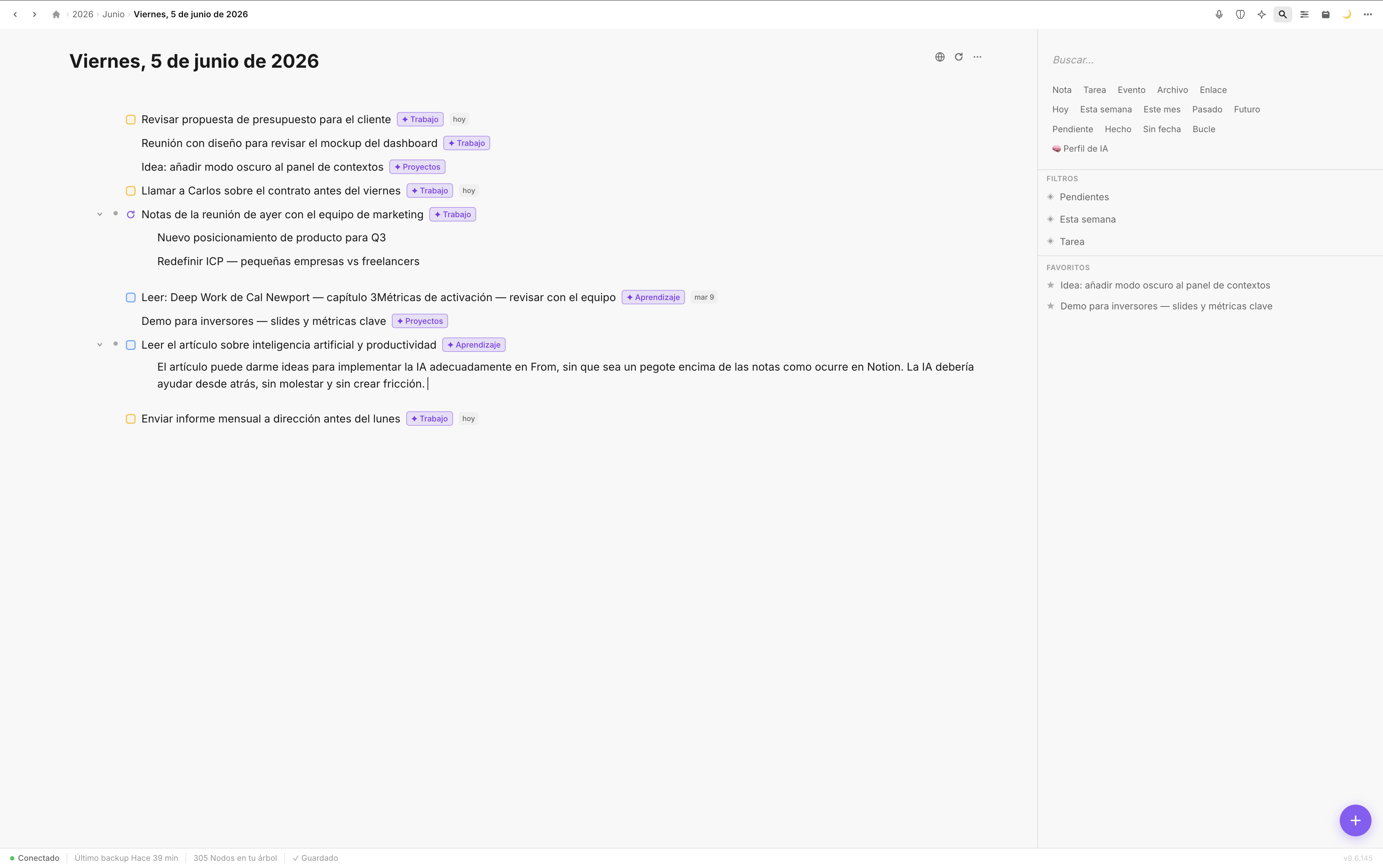
Every context in Fromly builds up its own memory. Agents read that memory and act on it.
How an agent works in Fromly
An agent in Fromly is a scheduled instruction that runs automatically: on open, daily, weekly, or only when you trigger it by hand. You define what it needs to do, which sources it reads, and when. Fromly handles the rest.
The flow is simple:
- Ask the chat to create an agent, or create one with the button, inside whichever context makes sense — a project, an area, anywhere.
- Define the instruction, the sources it should read, and the schedule.
- Review the prompt and turn it on — agents start deactivated until you approve them.
- When its turn comes, it runs the instruction and writes the result as a new document hanging off that context.
When you open Fromly in the morning, the work is already done. You don't have to ask for it, wait for it, or remember it. It's there, in the context where you need it.
Concrete examples of useful agents
The real power of agents is in their specificity. It's not "summarize things for me." It's a precise instruction that Fromly can interpret because it knows the context the agent lives in.
Morning pending-tasks summary
An agent that every morning at 07:30 reviews undated tasks in the "Work" context, flags the ones open for more than three days, and writes a document with the three most urgent. By the time you sit down, you already know where to start.
Weekly project audit
An agent attached to a project's context that every Sunday checks what moved that week and what didn't, and leaves a document with that summary inside the project itself. Not to stress you out — to keep the system from filling up with zombie projects.
Next-day prep
An agent that at 22:00 looks at tomorrow's calendar (synced with Google Calendar), cross-references it with related pending tasks, and writes a planning block into a document for tomorrow. You wake up with a draft of the day already there.
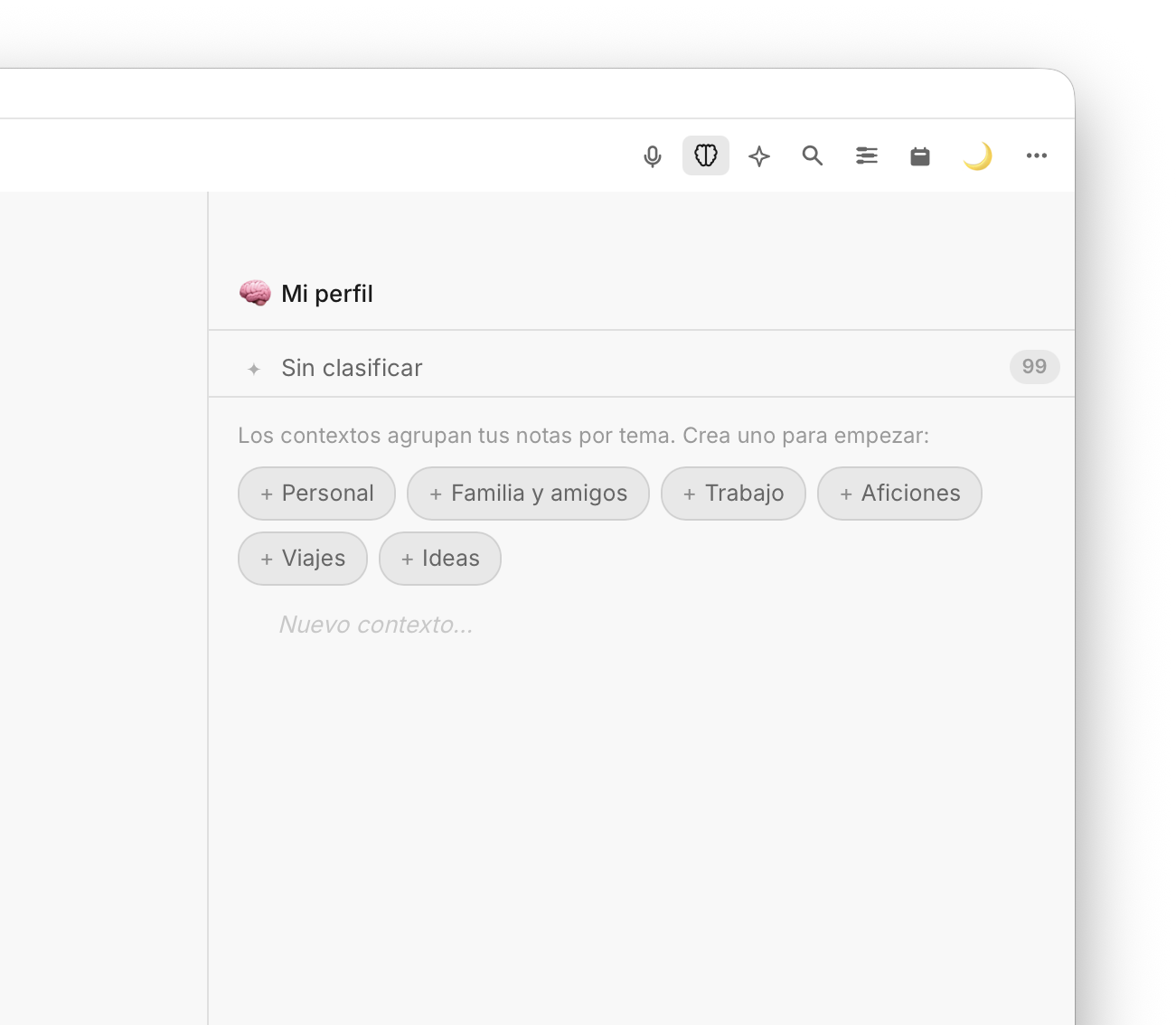
Fromly doesn't run generic instructions: it understands the context the agent lives in and acts with precision.
How to set up your first agent
Setting up an agent in Fromly doesn't require any technical knowledge:
- Ask the chat — "create an agent that reviews my pending tasks every morning" — or create one with the button from whichever context you want.
- Write the instruction in natural language: what to review, what to do, and which sources it should use.
- Choose when it runs: on open, daily, weekly, or manually only.
- Review the prompt Fromly prepared and activate it. It won't run until you do.
Fromly interprets the instruction, knows which context is relevant, and runs the task with that memory. You don't need to format anything specially or learn a syntax. Tell it what you want and Fromly understands.
The instruction is what matters. The more specific it is, the better the result. "Review my tasks" is vague. "Review the open tasks in the May Launch project and write a summary" is actionable.
What changes when you use agents
The biggest change isn't that it saves you time, although it does. It's that your system stops depending on your energy to stay current. The heaviest days, Friday afternoons, the messy weeks — the system keeps running whether you tend to it or not.
Fromly isn't a tool that waits for you to use it. It's a system that works alongside you and hands you the finished work when you need it.
If you already use Fromly to capture and organize through the chat, agents are the step that turns every context into something active. Start with one simple agent — the morning pending-tasks summary — and watch how it changes the first hour of your day.