The problem nobody names: classifying what you write is invisible work
You have a meeting, an idea, a pending task. You write it down fast, however you can, in the chat or in your daily note. Then comes the real problem: where does this go? Is it a note? A task? Does it belong in the Work context or a specific project? Do I tag it or leave it loose?
This moment — classifying what you just wrote — is where most productivity systems waste your time. You open menus, think about structures, decide where each thing "fits." And what should be fluid turns into friction.
Fromly doesn't work that way.
Fromly detects what type of content you're writing and which context it belongs to, the moment you write it. No menus. No tags. No decision for you to make.
How Fromly classifies without you touching anything
When you write in Fromly's chat — or in your daily note — the tool analyzes what you're putting down and automatically determines whether it's a task, a note, an event, or a resource, and which context it belongs to. You don't need to select the type before writing or assign categories afterward.
Examples explain it best:
- You write "Call Javier tomorrow at 10" → Fromly understands it as an event with a date and time.
- You write "Review the contract before Friday" → it's marked as a task with a deadline.
- You write "Idea: change the order of the funnel in the welcome email" → it stays a note, no date, no pressure.
- You paste a URL or a link → it becomes a resource, ready to retrieve when you need it.
There's no rule you need to configure. Fromly learns from natural language. What you write, as-is, tells it enough.
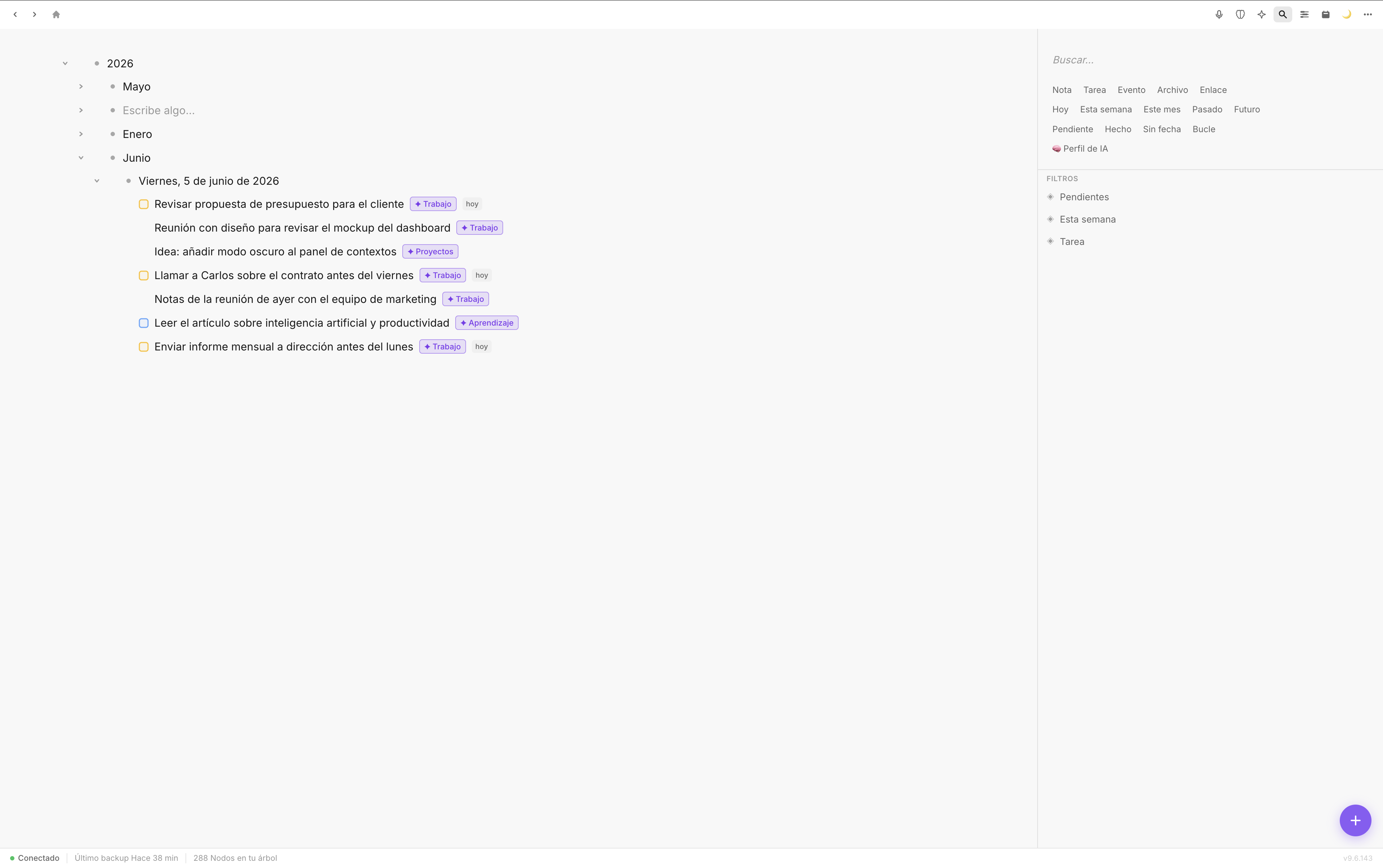
Each context organizes what you write there without you having to move anything manually.
Context changes everything
The most powerful part isn't that Fromly detects the type of note. It's that it does so within the context you're working in — the one open on the left, or the one you mention in your message with #.
If you're in a project's context and you write "Prepare the presentation for Monday", Fromly doesn't just create a task: it creates it inside that context, with the right date, where it belongs. You don't have to move it afterward.
This matters because the problem with most tools isn't capture — it's capture in context. You can write quickly anywhere, but if you then have to reorganize everything, you lose the time you gained in the next step.
Filters that appear on their own
Fromly also generates automatic views based on what you have. If there are tasks due today, they show up under the Today tab. If there's anything pending, you see it grouped without having built any view manually.
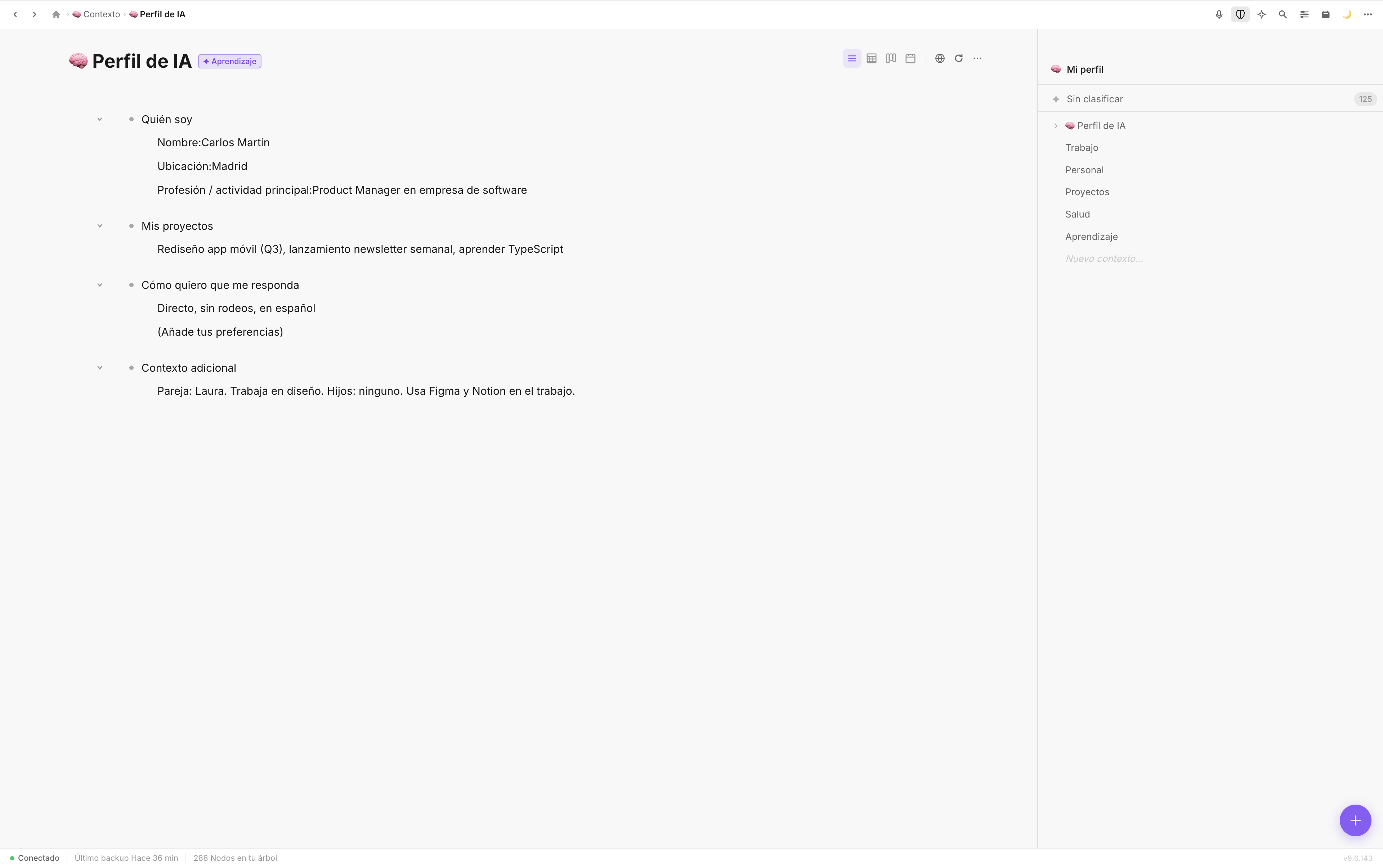
Contexts organize themselves based on the content you have. You don't configure them.
It's an important philosophical difference: in most tools, you build the system and then feed it. In Fromly, you feed it and the system builds itself.
What this means day to day
In practice, using Fromly changes a very specific habit: you stop thinking about where something goes before you write it.
That anticipatory friction — "does this go here or there?" — disappears. You capture fast, in the moment, with whatever words come out naturally. Fromly handles the rest.
- You capture without deciding: write the way you think, without adapting the format to the tool.
- Fromly classifies instantly: the type and the context are assigned the moment you finish writing.
- Views update on their own: your pending items, your schedule, your resources appear organized without you touching a single menu.
And if Fromly gets it wrong
It can happen. If you write something ambiguous, Fromly makes a reasonable call. And if it's not the one you wanted, fixing it takes a second: click the note, adjust the type or the context, done. But in practice, the need to correct is minimal because Fromly works with the language you actually use, not a tagging system you have to learn.
It's not about Fromly being perfect. It's that the effort it requires is so low that the net result is always positive.
The result
Fromly's automatic classification isn't a demo trick — it's the core of how the chat works. You write, Fromly understands, everything lands in its context. No menus, no tags, no invisible work organizing what you just captured. If you've ever felt your note-taking system costs you more than it gives back, this is exactly what changes that.