In this article
Why Trello doesn't work for personal projects
Trello was built to coordinate teams with visual workflows. Cards in columns (To Do → In Progress → Done) make sense when multiple people move cards and need to see the team's status at a glance.
When you use it alone, the model breaks. Cards have no real context — you can't have full subtasks inside a task. There's no connection between your projects and your notes. Nothing files anything for you. And there's definitely no AI that understands what you write.
For personal projects you need capture speed, permanent context, and an AI that understands what you write. That's exactly what Fromly offers.
Contexts: Areas and Projects, not boards
In Fromly you don't organize boards or columns. You organize contexts: Areas that group your life and work — always active, like "Work" or "Personal" — and Projects, which hang from an Area and can be archived once they're done. Every task, note, or event belongs to a single context. You never have to choose between five different tags or figure out which board something goes on.
This gives you something Trello can't: permanent context. When you see a task, you always know which project it belongs to and what surrounds it — no tags, no cross-references to maintain by hand.
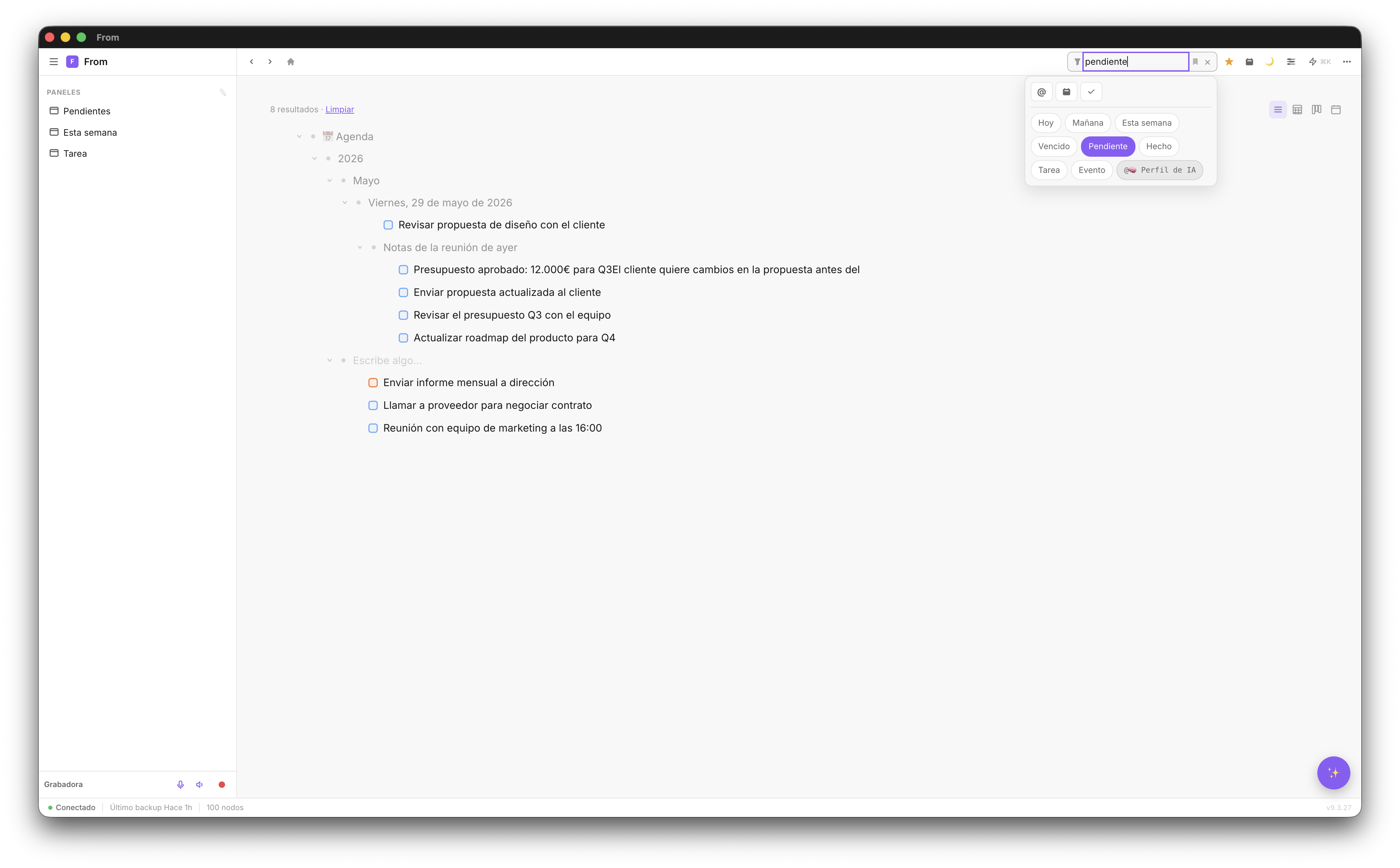
Subtasks and hierarchy, when you need them
In Trello, subtasks are a clunky add-on — a checklist inside a card that doesn't have the same functionality as a real task. In Fromly, inside any task you can nest real subtasks with their own date and status: the same power of the classic outliner is still there when you need it, but you don't have to use it for everything — for the rest, just write in the chat.
This means you can:
- Nest tasks as deep as you need
- See the status of subtasks from the parent task
- Filter pending subtasks without losing project context
- Assign dates to tasks and subtasks independently
- Create notes inside a task to document the work
💡 Hierarchy tip: Use Tab to make any node a child of the node above it. Shift+Tab moves it up a level. Reorganizing entire projects takes seconds.
See only what matters at each moment
The trap of managing multiple projects is seeing too much at once. When you open Trello with five boards, you have to mentally zoom in to find what needs doing today.
In Fromly, the Elements tab solves this: it's the search across everything you've saved, filterable by project, date, or status. And the Today tab shows you just the day's agenda, ready to drag straight into the planner.
You don't need to configure anything ahead of time. Ask the chat "what's left on the web project this week?" and Fromly answers with the list, already filtered and with its context visible.
Create a complete project by writing a sentence
Imagine you need to manage a new product launch. In Trello it would take 15–20 minutes to create the board, lists, cards, and configure members. In Fromly, you write in the chat:
"Create a project called 'Q3 Product Launch' with phases: market research, design, development, marketing, and launch. In each phase add a pending task to define objectives."
In a few seconds you have the complete structure created and filed in its context, with a single message.
The daily workflow
With Fromly, the personal project workflow is simple:
- Morning: open Fromly and check the Today tab. Your tasks for the day are right there — no need to look for them.
- During the day: write in the chat whatever you need — a new task, a question about the project, a reminder — and Fromly files it in its context.
- New task: use the +Task button in the header, or just ask the chat; Fromly schedules it and assigns it to the right project.
- Review: open Elements to see the status of all your projects at a glance.
- End of day: mark completed tasks. Status is recorded automatically.
Start managing your projects with Fromly
Free forever on web. Mac and iPhone apps included.
Create free account →