In this article
Why meeting notes get abandoned
The problem isn't lack of motivation — it's lack of system. Meeting notes get abandoned for three reasons: they're disconnected from the tasks they generate, they're saved somewhere you don't revisit, and there's no review process to activate them.
In most note apps, a meeting note is just text. The tasks that come out of the meeting have to be manually copied to your task app. The meeting context is lost. The note ends up orphaned in a folder you never open.
Fromly solves this because notes and tasks live in the same context and go through the same chat. You tell Fromly what was decided, and it creates the corresponding tasks, dated if you mentioned a date, hanging off the project or client they belong to.
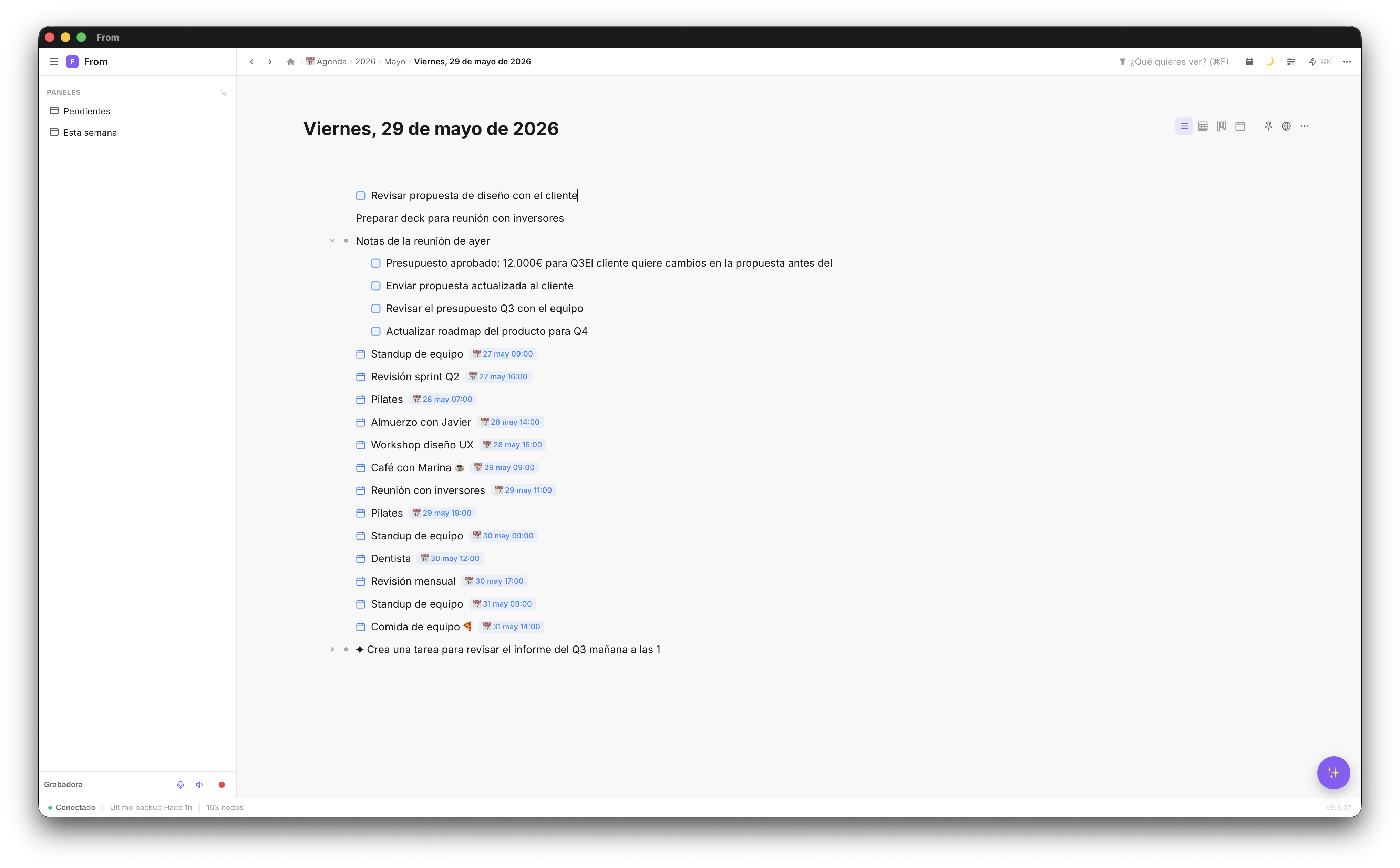
The meeting note structure that works
You don't need a perfect structure — you need one that's good enough to follow even when the meeting moves fast. Here's what we recommend your note has:
- Meeting name + date — As the note title (Fromly can set it automatically if you ask in chat)
- Context — One line on what the meeting is for and who's attending
- Points discussed — Free notes during the meeting. No need to write in full sentences — just keywords
- Decisions — What was clearly decided. This is the most valuable part
- Action items — Each task with its owner and date if defined
How to take notes during the meeting
During the meeting, the goal is to capture without interrupting. Don't correct, don't format, don't search for the perfect place for each note. Just write, or record.
Before it starts, ask in the chat: "create a meeting note 'Client X project review' in the client's context". The note is ready in seconds, in the right context. If you'd rather not type, press Record in the chat header: Fromly transcribes the meeting live with Whisper and leaves you the full text once it's done.
💡 During the meeting: write fast and don't filter, jotting down only what matters. When someone says "we need to do X," just note it as-is — afterward, ask the AI and it turns it into real tasks, each one in its place.
The 5-minute post-meeting process
The 5 minutes after a meeting are the most valuable. They're the only minutes where you have fresh context and can convert notes into concrete actions.
The process is simple:
- Identify the tasks — The ones you said "I'll do that" and the ones left open
- Ask the chat — "Extract the tasks from this note and create them with their date"
- Check the dates — Fromly sets a date when you mentioned one; adjust the ones that are missing
- Check the context — If the tasks belong to a specific project, they should already be there
With Fromly, this process takes 3–5 minutes because everything is in the same system. No need to open another app, no need to copy text.
Finding old notes when you need them
The meeting was two weeks ago. Someone asks "what did we decide about X?". In most systems, that means searching through file folders or scrolling through an endless history.
In Fromly, just ask the chat directly: "what did we decide in the meeting with client X?". The answer comes back with full context — including the tasks that meeting generated and whether they've been completed. If you'd rather browse yourself, the Elements tab searches everything you've saved.
Using AI to process your notes
If the meeting was intense and your notes are messy, Fromly's AI can help you process them. Open the chat and ask:
- "Extract the tasks from today's meeting notes and convert them to pending tasks"
- "Summarize the key points from the client X meeting notes"
- "Which tasks from this meeting are still incomplete?"
The AI works on your real notes, not generic information. The result is precise and actionable.
Start taking notes you actually use
Fromly is free to start. No limit on meetings or notes.
Create free account →