In this article
The device fragmentation problem
You start a note on Mac during a meeting. You want to review it on your iPhone while commuting. You get home and want to expand it in the browser because your computer isn't nearby. In most systems, this flow requires exports, manual syncing, or losing information along the way.
Device fragmentation is one of the biggest enemies of personal productivity. When your information isn't where you need it, you create duplicates, take screenshots, or simply abandon the system.
Fromly solves this with a cloud architecture where your contexts, your chat, and your content are identical across all devices, always updated in real time.
Mac
Native app with full keyboard shortcuts, complete planner, and Google Calendar sync
iPhone
Native app with voice capture, home screen widget, and touch filters
Web
Access from any browser, no installation needed. Full functionality at fromly.app
Fromly on each platform
Mac — The main hub
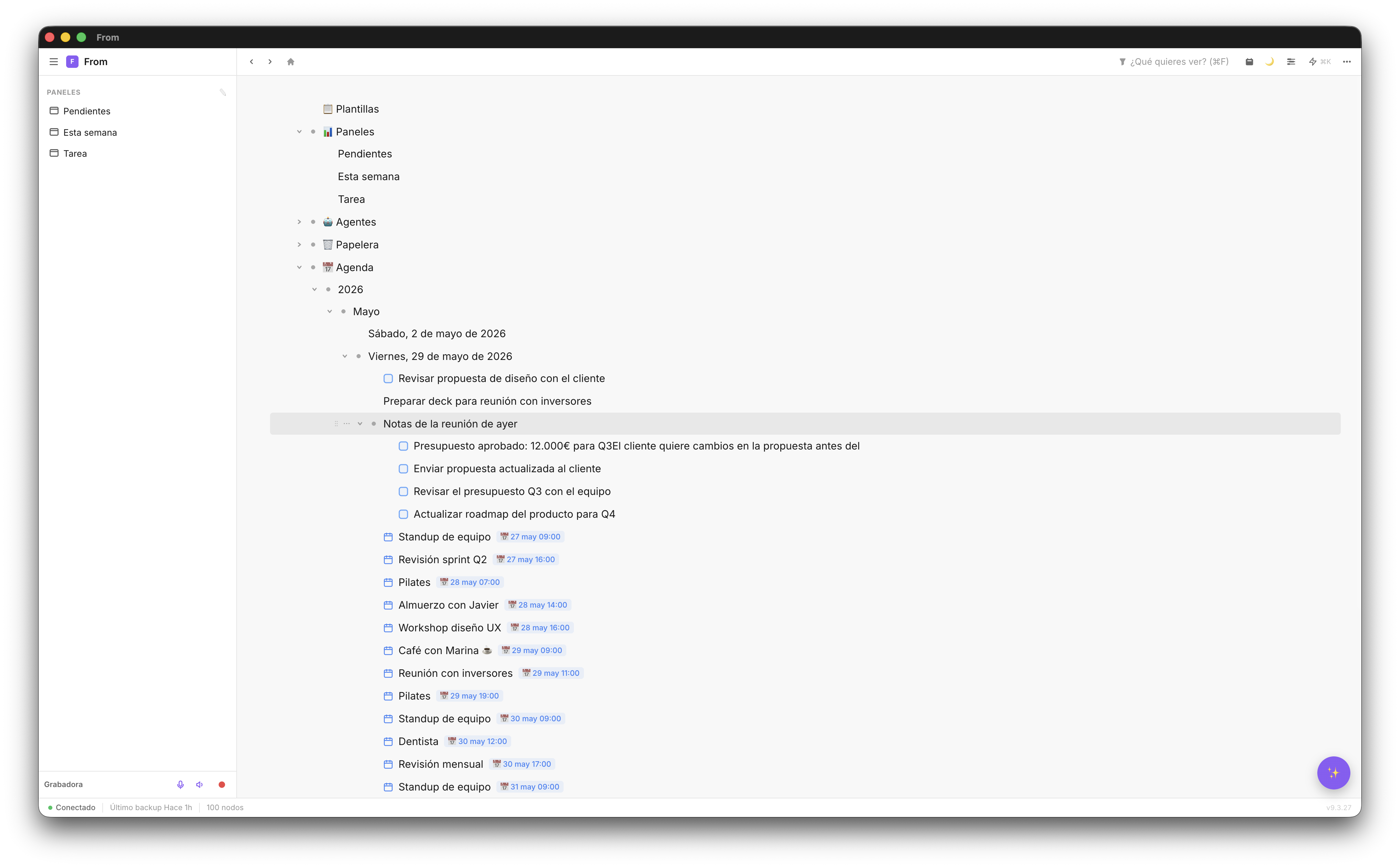
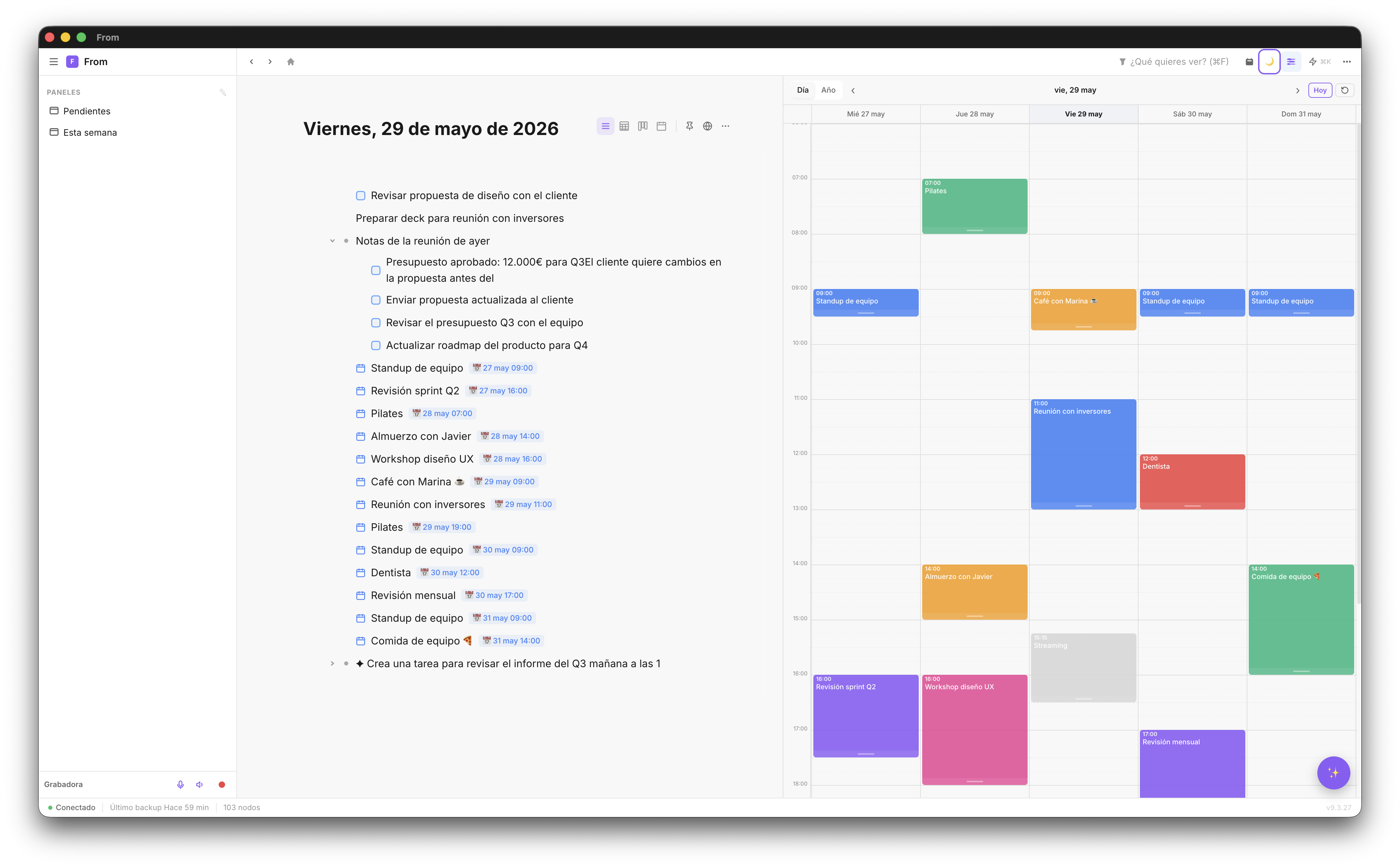
The Mac app is where most users spend the most time. It has the most complete feature set: the central chat, contexts, a visual planner with weekly view, Google Calendar integration, and voice capture.
The Mac app is built with Tauri (Rust + React) — the same code as the web. That means every improvement that ships on the web ships on Mac too, no lag, and the app integrates with the OS: notifications, Spotlight search, automatic dark mode.
iPhone — Capture on the go
The iPhone app is native (Swift), in progressive parity with the web, and it's optimized for two use cases: quick idea capture on the move, and reviewing tasks and agenda when your Mac isn't available.
The iPhone widget lets you see your tasks for the day from the home screen without opening the app. Voice capture works with the iPhone microphone — an idea comes to you while walking, you say it out loud, and it appears in your chat within seconds.
Web — Universal access
If you're on someone else's computer, on an iPad, or on any device with a browser, you can access Fromly at fromly.app/app. Full functionality: chat, contexts, filters, and planner.
How sync works
Fromly syncs by operations — an op-log, WorkFlowy-style: every change you make (creating a task, editing a note, moving something between contexts) is recorded as an individual operation and propagated to your other devices in real time. It's not a full snapshot uploaded and downloaded — it's the history of changes, which means sync never infers a deletion you didn't make and never loses data by mistake, not even changes made through the Claude connector or an Agent.
There's no sync button, no manual exports. When you create something on Mac, it appears on iPhone in under a second. When you mark a task as done on iPhone, it updates on Mac instantly. All of this happens in the cloud — not through iCloud.
🔒 Automatic backups: Fromly automatically backs up your information periodically. You can see when the last backup happened in the bottom status bar. If something goes wrong, your data is protected.
Cross-device workflows
These are the most common workflows Fromly makes frictionless:
Mac to iPhone
You plan your week on Mac Monday morning. Tuesday you're commuting and review the day's tasks on iPhone from the widget. You mark a task done — it updates on Mac automatically.
iPhone to Mac
You have an idea while walking. You say it out loud into the iPhone app. You get to your Mac and the idea is already in your chat, filed in its context, ready to develop.
Without Mac — web only
You're at someone's place without your Mac. You open fromly.app in the browser and have full access to all your information. You add a task, check notes from a meeting, review your weekly agenda.
Offline access
The Mac and iPhone apps have local cache: if you lose your connection, you can still view and edit your content. Changes made offline sync automatically when the connection is restored. Nothing is lost.
Start on web, continue on Mac and iPhone
One free account. Access on all devices. No setup required.
Create free account →