In this article
The context for this comparison
Notion is a team collaboration tool that many people try to adapt for personal use. It's powerful, flexible, and has a huge community. It also has a significant learning curve, can get slow with a lot of data, and requires constant configuration to stay useful.
Fromly is a chat-first personal second brain: you write in natural language in a central chat, and the AI creates, classifies, and finds things for you. It doesn't have relational databases or team Kanban views — it has contexts that organize themselves, smart filters, and a chat that knows all your content.
This comparison assumes you're looking to manage your personal knowledge and productivity, not coordinate a 20-person team. For teams, Notion wins hands down. For personal use, the story is different.
Capture speed and daily use
The clearest difference between both apps shows up in daily use. In Notion, to jot something down you need to: decide which database it belongs to, open that database, create a new entry, fill in the relevant fields, close. That's 5–8 steps.
In Fromly, you type whatever comes to mind into the central chat — "remind me to call Ana on Monday", "jot down this idea" — and the AI classifies it, dates it, and files it in its context. One step. Or you dictate it with the built-in voice recorder.
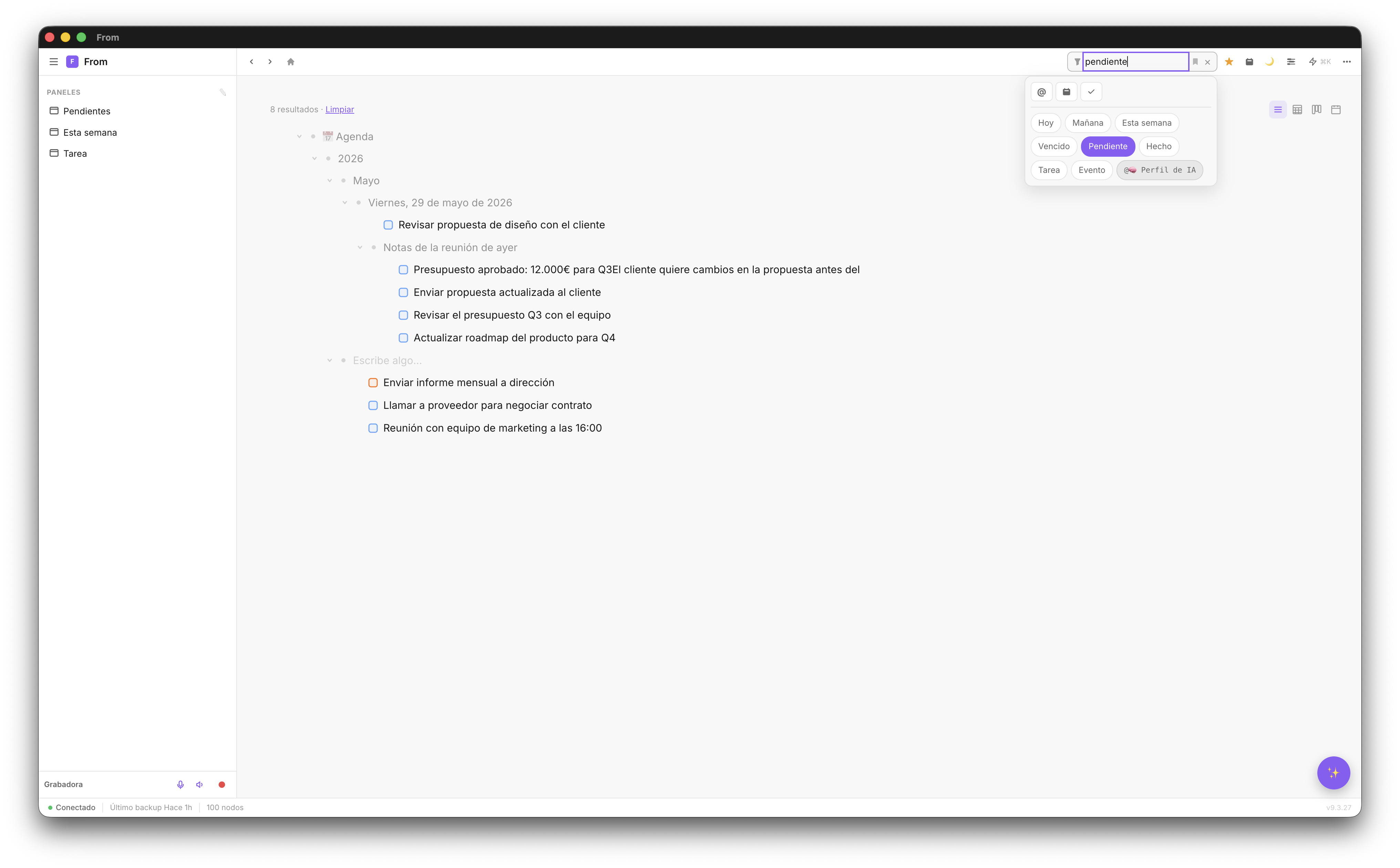
Speed matters because it defines whether you use the system or abandon it. If adding a note takes more than 10 seconds, you stop adding notes. If finding something takes more than 30 seconds, you stop searching in the system.
Built-in AI vs bolted-on AI
Notion has AI — as a paid add-on requiring an additional subscription. It's a generic AI: it doesn't know the structure of your workspace, can't navigate your content for you, or create items in the right place.
Fromly's AI knows all your contexts. When you ask it to "create a task for project X due tomorrow", it does it directly in the right context. When you ask "what do I have pending this week?", it searches your real content and answers with precision — because every context builds its own memory, and Fromly checks it instantly.
Filters and search
In Notion, filtering content requires creating database views with manually configured filters. For each filter combination you need a new view. If you want to see "pending tasks this week", you create a view with status and date filters.
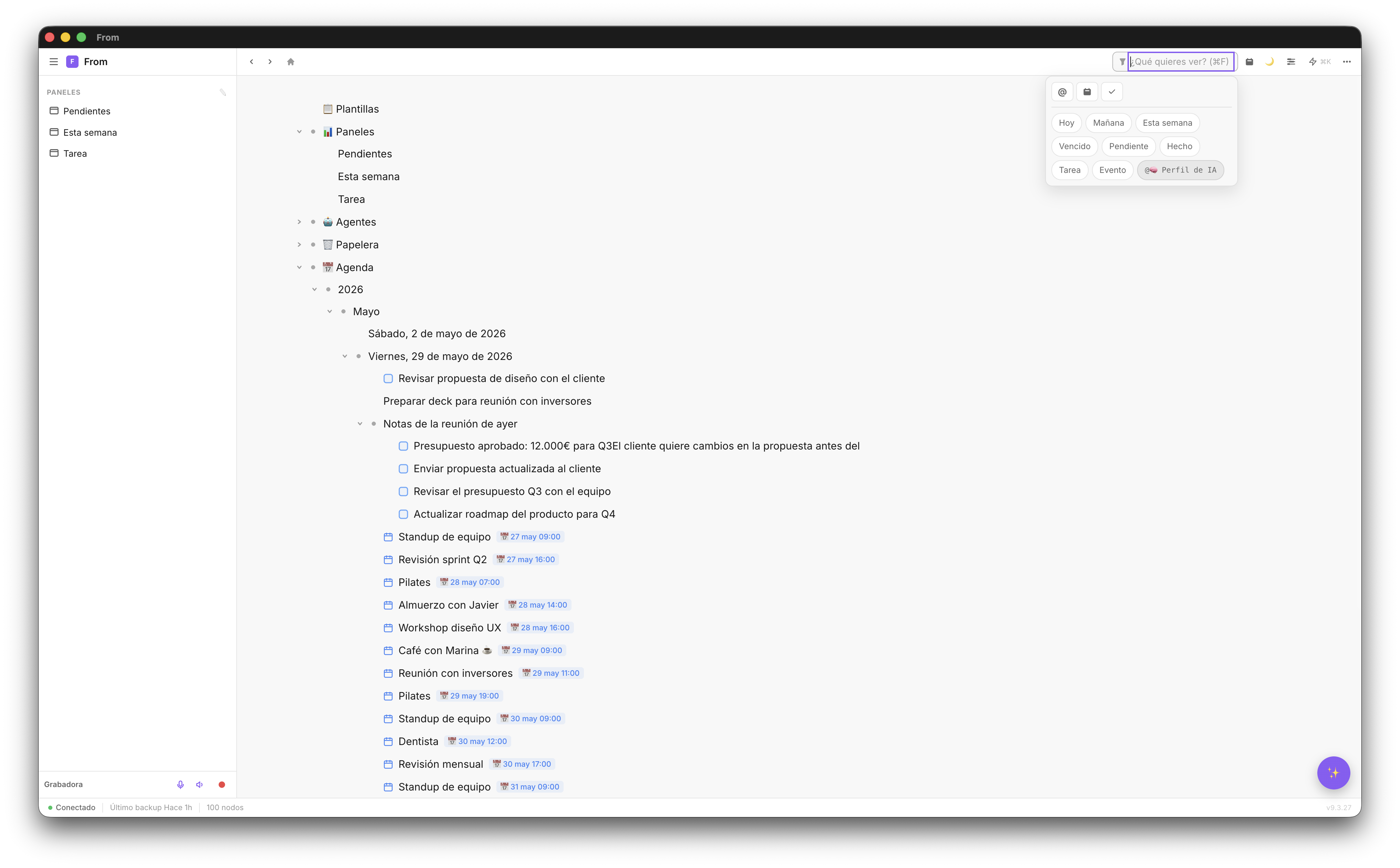
In Fromly, you type "pending tasks this week" into the chat or the Elements search and they appear. The system interprets natural language. You can also save that filter as a quick view to use with one click.
Full comparison table
| Criterion | Fromly | Notion |
|---|---|---|
| Capture speed | Very fast (1 step, natural language) | Slow (5–8 steps) |
| Learning curve | Low — works from minute 1 | High — requires configuration |
| Built-in AI | Native, knows all your contexts | Generic paid add-on |
| Smart filters | Natural language, chips, saved views | Manual views per database |
| Sync | Web, Mac, iPhone — real time | Web, Mac, mobile — real time |
| Team collaboration | Not designed for teams | Excellent for teams |
| Relational databases | Not available | Yes, very powerful |
| Price | Free / Pro €7 mo (€49/yr) / Lifetime €149 | €8–16/month per user |
| Visual planner | Integrated with Google Calendar | Requires external integration |
Which one should you choose?
Choose Fromly if:
- You're an individual or freelancer managing your own productivity
- You value capture speed over infinite customization
- You want a chat that actually understands your content
- You hate configuring systems — you prefer it to work out of the box
- You use Mac and iPhone and want native sync
Choose Notion if:
- You need to coordinate with a work team
- You require complex relational databases
- You have time and energy to configure your workspace from scratch
- You need integrations with team tools (Jira, GitHub, Slack)
🎯 Executive summary: Notion is a team workspace used as a personal app. Fromly is a chat-first personal second brain, built specifically for individuals. If you work alone, Fromly wins on speed, simplicity, and an AI that actually knows your content.
Create your free account
No card required. Up to 1,000 nodes free. Available on web, Mac, and iPhone.
Create free account →