In this article
What friction is in productivity
Friction is any obstacle between intention and action. In a productivity system, friction appears when: it takes too long to find where to save something, the system requires setup before you can use it, you need to switch apps to perform an action, or the process has more steps than necessary.
Every friction point reduces the probability that you'll use the system. And a system you don't use doesn't make you more productive — it makes you exactly as productive as having no system, but with the feeling that you wasted time setting it up.
Fromly is designed from the ground up to eliminate friction. The central chat is the entry point for everything: it's not a secondary goal — it's the primary design principle.
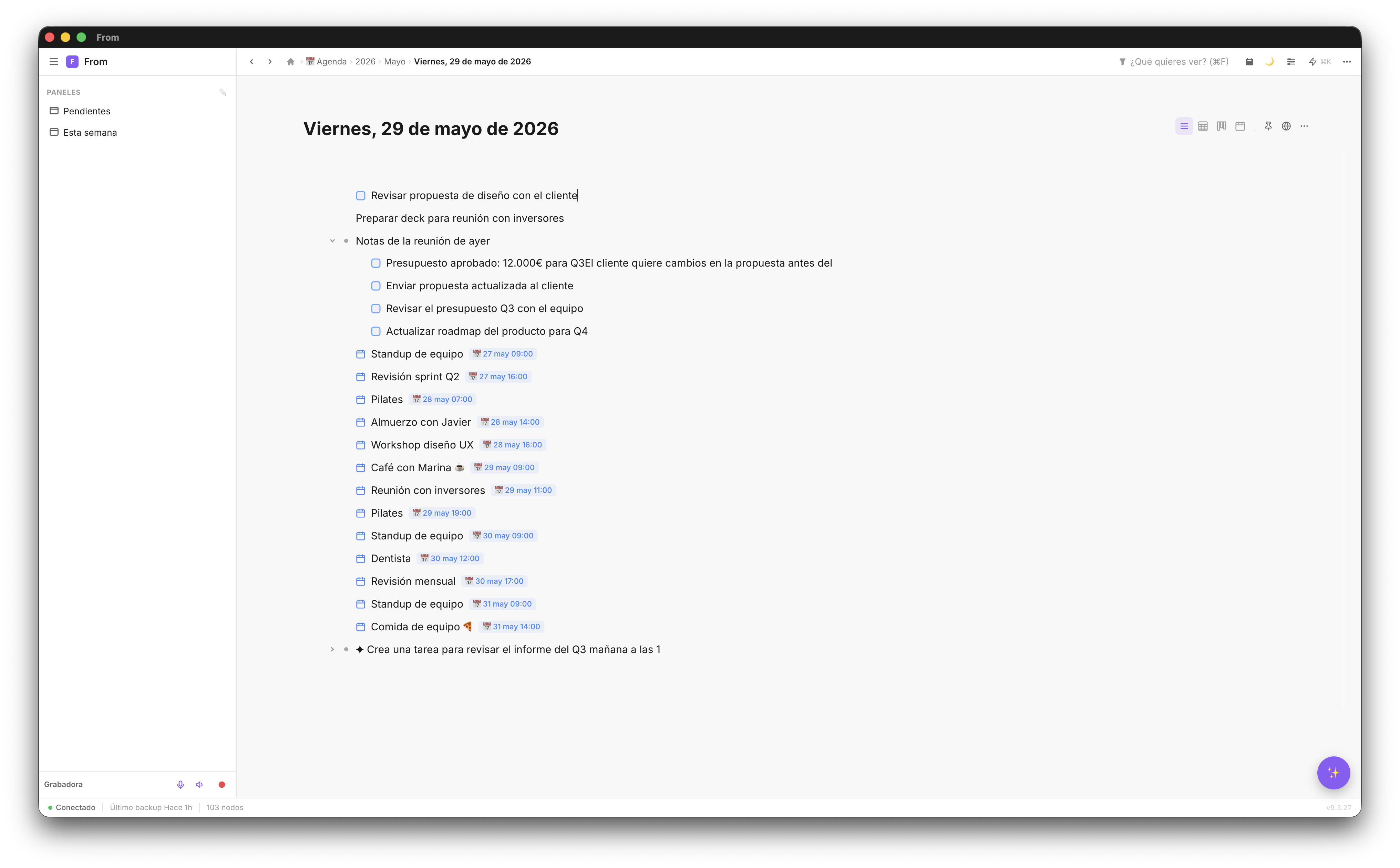
Frictionless capture in Fromly
In Fromly, capturing something has a minimal path:
- Write in the chat, from wherever you are, or press H to go to today's note
- Write what you want to capture, in plain language
- Press Enter to send it, or to add the next line
Three steps. The first disappears if you're already in the chat. The third vanishes if you only need one line. In practice, capturing something in Fromly can be as fast as 2 seconds.
You don't have to decide which context it goes in, you don't have to open a different app for tasks vs notes, you don't have to format anything. You just write, and Fromly classifies it, sets the date, or creates the task for you.
The keyboard shortcuts that change everything
Keyboard shortcuts are the primary friction-reduction tool. Memorizing them takes a few days — using them becomes automatic within a week:
- H — Go to today's note
- N — New item in the current context
- Cmd+Enter — Convert item to a task with checkbox
- Cmd+F — Open search filters
- P — Open/close planner
- Space — Open the chat
- Tab — Indent (make it a child within the item)
- Shift+Tab — Outdent (move up one level)
With these 8 shortcuts memorized, you can manage your entire system without touching the mouse. Work speed multiplies because there are no interruptions to search for buttons or menus.
⌨️ Exercise: For one week, force yourself to use only the keyboard in Fromly. By the end of the week, the shortcuts are automatic reflexes and your work speed will have noticeably increased.
Voice capture: zero friction
There are moments where even the keyboard has friction: when you're walking, when your hands are occupied, when an idea strikes in the middle of a conversation. For those moments, voice capture eliminates all friction.
In Fromly, hold R and speak. When you release, the transcription appears in the chat field and you can send it directly. Fromly creates the task or note in the right context.
On iPhone, voice capture works the same way — hold the microphone button and speak. From the lock screen if you've set up the widget.
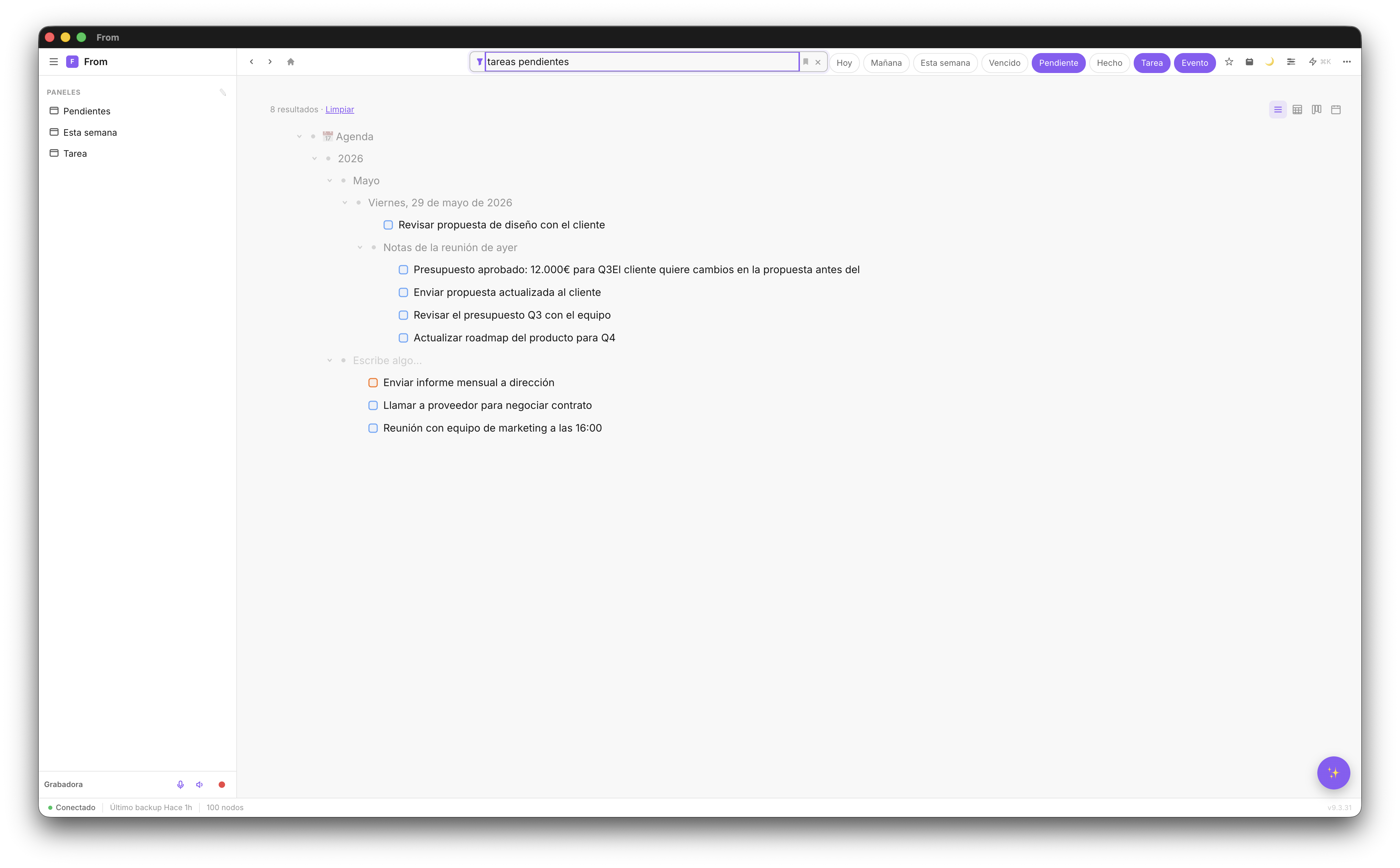
Frictionless retrieval: smart filters
Friction doesn't just appear in capture — it also appears in retrieval. If finding something in your system takes more than 30 seconds, you stop looking in it. And if you don't search, the system loses all its value.
Fromly has filters that accept natural language. You don't have to remember technical operators or know which node you saved something in. Write what you're looking for and it appears.
The most frequent filters are saved as panels in the sidebar — one click to see them. No added friction.
Building low-friction habits
The ultimate goal is not a perfect system — it's a system you use without thinking about it. Low-friction habits are those that don't require willpower to execute because the system does the heavy lifting.
With Fromly, these are the three habits that have the most impact with the least friction:
- Daily capture — Every time an idea or task comes up, write it in Fromly immediately. Without processing, without deciding where it goes. Just capture.
- Morning review — Every morning, 5 minutes looking at "Pending" and "Today". Define the 3 most important things of the day.
- End-of-day close — Every evening, 2 minutes marking what you completed. This triggers the dopamine of progress and reinforces the habit.
Try frictionless productivity
Fromly sets itself up. Start capturing in under 60 seconds.
Create free account →