In this article
The real advantage of paper planners
Millions of people still use paper planners in 2026, despite having smartphones and computers. It's not nostalgia — it's because a paper planner does something digital apps don't do well: it puts everything in the same place.
In a physical planner, Tuesday's page has the day's events, space for meeting notes, and a task list, all in one glance. In the digital world, that fragments into three separate apps that don't talk to each other.
Why digital agendas fall short
Classic digital agendas — Google Calendar, Apple Calendar — are excellent for managing events. But they're not a complete productivity system. Notes live in a different app. Tasks live in another. The result is fragmented information and lost context.
When you have a client meeting, the event is in Google Calendar, the prep notes are in Notion, the action items are in Todoist, and the follow-up email is in Gmail. None of these apps knows about the others. You become the manual connector — and that carries a huge cognitive cost.
How Fromly combines the best of both worlds
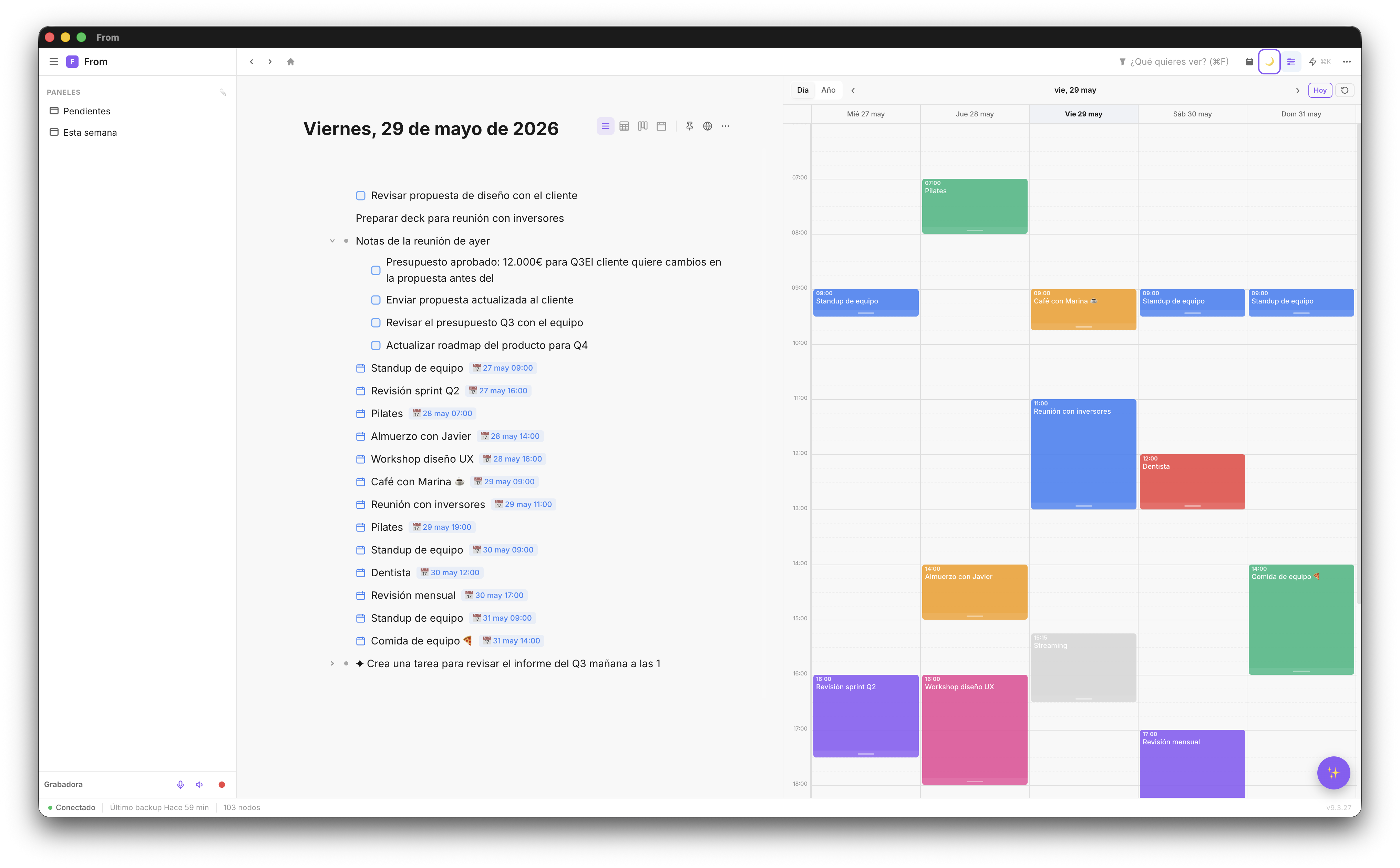
Fromly takes the core idea of the paper planner — everything in the same place — and brings it digital with capabilities paper can't match:
- Automatic daily note — The equivalent of your planner's daily page, with automatic dating and no page-turning
- Tasks that classify themselves — Tell the chat what you need to do and Fromly turns it into a task, dates it, and files it under the right context (project, area) without you moving anything by hand
- Calendar events — Google Calendar integrated: your day's events appear in the planner and in the daily note
- Instant search — Find any note or decision from the past in seconds
- Sync — Mac, web, and iPhone with the same information in real time
Google Calendar integrated: your events in context
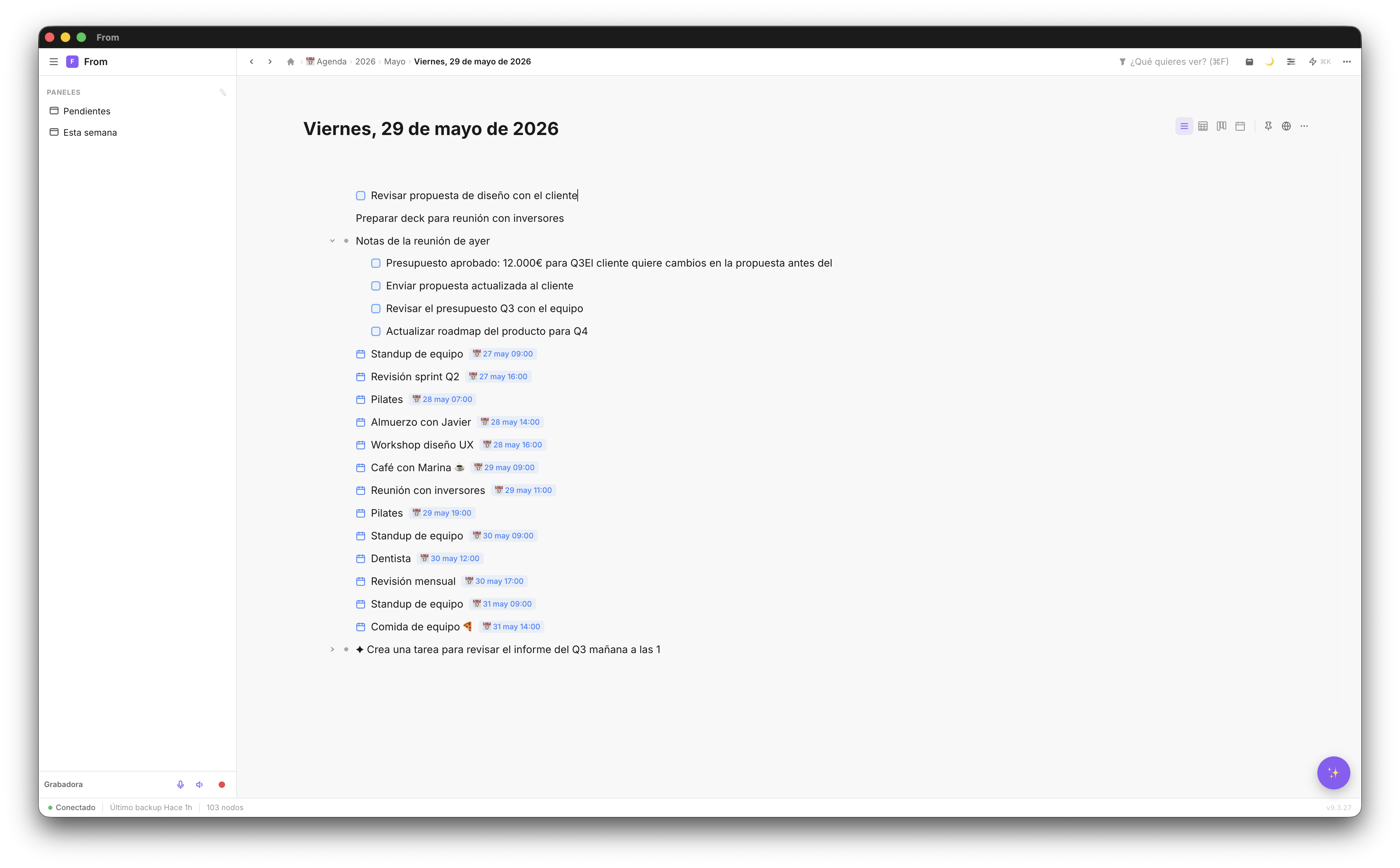
The Google Calendar integration is two-way. Your events appear in Fromly's planner and in the daily note. If you create an event in Fromly, it shows up in Google Calendar.
This means when you start your workday and open Fromly, you see at a glance: what you need to do today (pending tasks), who you're meeting with (GCal events), and what's left from yesterday (overdue tasks).
📅 Agenda tip: Press P to open the planner alongside your daily note. You get a full view of your commitments next to your notes and tasks space — exactly like a paper planner, but digital.
AI as your agenda assistant
Fromly's AI knows your complete agenda: your events, tasks, notes, and history. You can ask it things you can't ask any other digital app:
- "What do I have this week and what's overdue?"
- "Create a task 'prepare materials' for tomorrow before the 10am meeting"
- "When did I last speak with client García?"
- "Organize my Tuesday — I have a meeting from 10 to 11 and a presentation at 4pm"
Your daily routine with Fromly as your agenda
The transition from paper planner to Fromly is smooth if you follow this routine for the first few weeks:
- Morning: open Fromly and press H. The daily note already exists with your calendar events.
- Before each meeting: open the client's or project's context — the Context tab already has a summary of what Fromly knows, kept up to date on its own.
- During the meeting: type whatever you're noting into the chat. Fromly decides whether it's a task, a note, or an event, and which context it belongs to.
- After the meeting: ask the chat to turn your notes into dated tasks and review the result before confirming.
- End of day: mark completed tasks as done. A quick glance at the "Today" tab to see what's left.
Your smart digital agenda
Notes, tasks, events, and Google Calendar. All in Fromly, free to start.
Create free account →