In this article
The problem with surface-level AI
When ChatGPT went mainstream, every notes app added an AI button. The problem is most did it wrong: the AI is a generic chatbot that knows nothing about your content. It can summarize text you paste in, but it can't search your notes, create content in the right place, or understand the context of your system.
There's a massive difference between an app with AI and an AI app. Fromly belongs to the second category: AI isn't a bolt-on feature — it's the core of the system.
Fromly's chat: how it actually works
The chat is the center of Fromly: it sits in the middle column of the screen, always visible. You type in natural language and that's it — there's nothing to "open." What sets it apart from other chatbots is that it has access to all your contexts: your areas, your projects, and what Fromly knows about each one.
When you ask it something, it doesn't search the web or make things up — it searches your content. When you ask it to create something, it files it under the right context, not in some generic location.
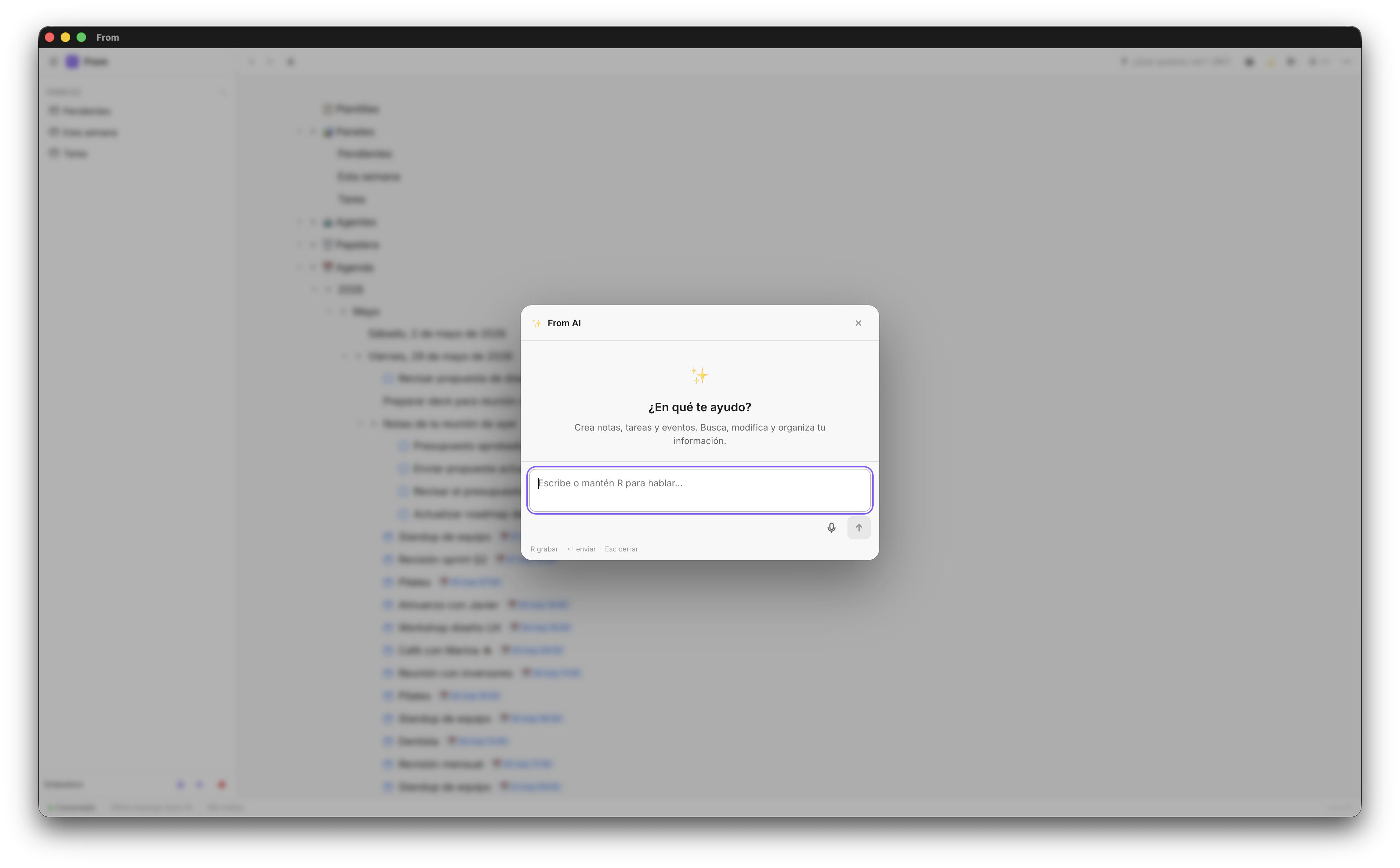
Creating content with AI
Creating content with AI in Fromly works in two steps: you describe what you want, and the AI shows a confirmation card with the items it's about to create. You confirm or cancel.
This matters: the AI doesn't act without your confirmation. You can see exactly what it's going to create before it creates it. If it's not right, cancel and rephrase.
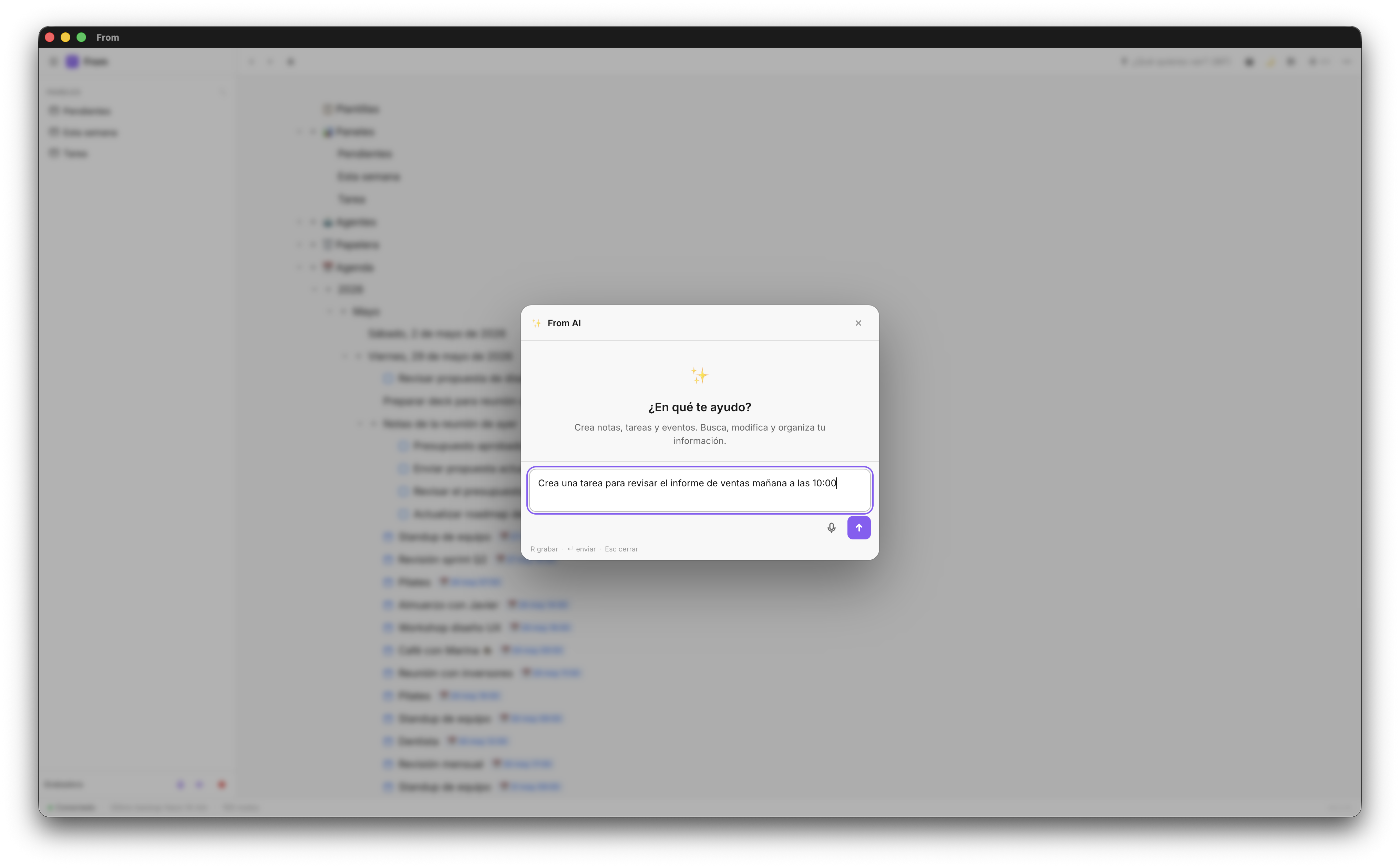
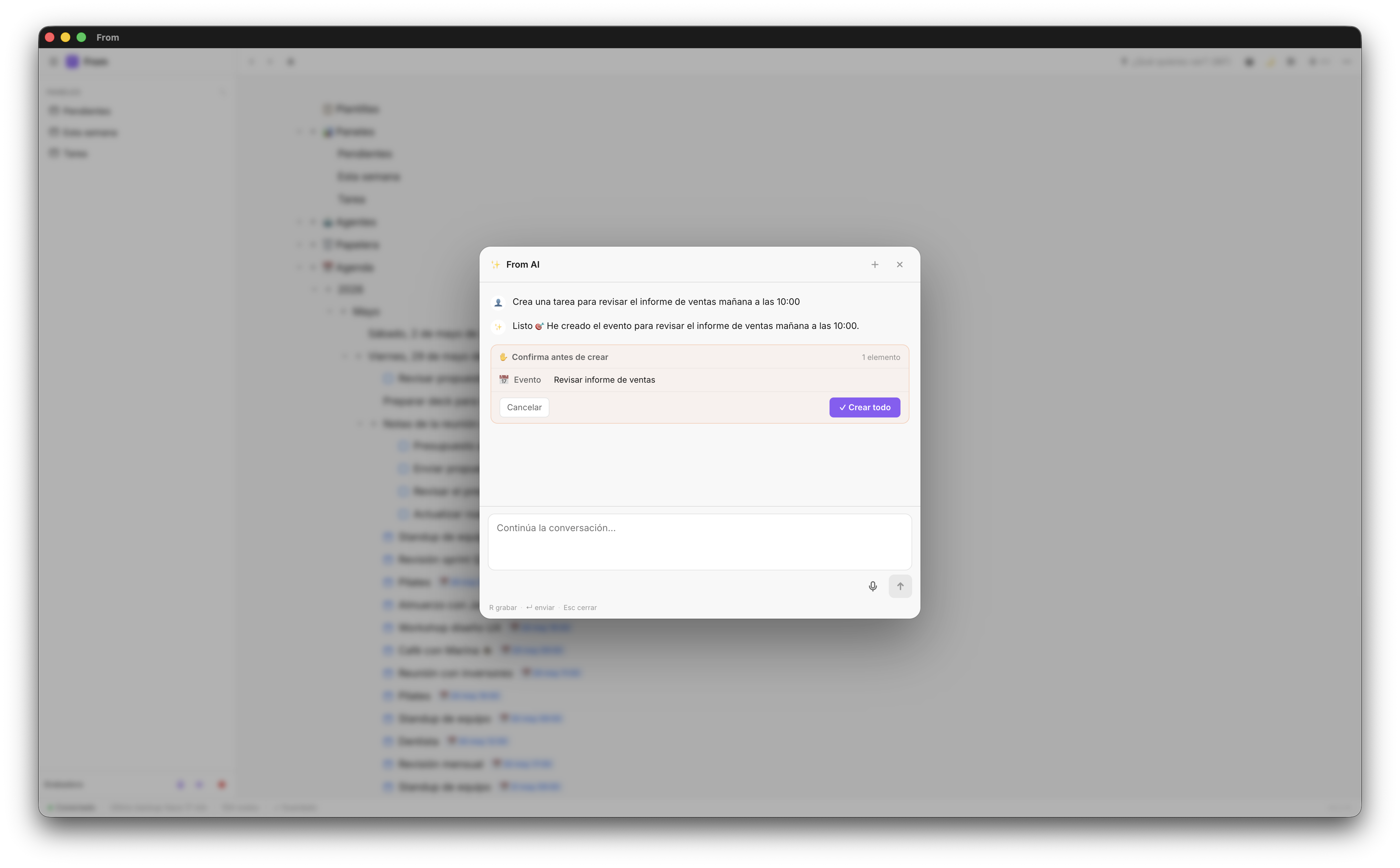
Types of content you can create with a single instruction to the chat:
- Complete structures — "Create a project with phases: research, design, development, and launch"
- Tasks with dates — "Add a task for tomorrow: review the client budget"
- Events — "Create a 'Meeting with designers' event on Thursday at 10:00"
- Structured notes — "Create a meeting note with sections: attendees, topics covered, and next steps"
💡 Tip: Be specific with your instructions. The more detail you give, the more precise the result. "Create a project" is vague. "Create a project called 'Corporate website' with tasks: briefing, wireframes, design, development, and testing, all marked as pending" is precise.
Filtering and searching with natural language
The chat also acts as an intelligent search engine. Instead of remembering which context you saved something in, you ask and it searches.
From the Items tab — the search across everything you've saved — you can write in natural language: "pending design tasks", "meeting notes from this week", "everything related to client García". Or just ask the chat directly and it answers with what you already have saved.
Voice capture: the fastest mode
Voice capture is built directly into the chat. Hold the R key and speak. When you release, the transcription appears in the text field and you can send it directly or edit it first.
Cases where voice capture is irreplaceable:
- Ideas that come while walking or working out
- Quick notes between meetings when there's no time to type
- When your hands are occupied and your iPhone is nearby
- Long instructions where typing would be slower
Real use cases
These are the uses of Fromly's chat that users consistently report as most valuable:
Processing meeting notes
You take quick notes during a meeting. Afterward, you ask the AI: "Extract the action items from these meeting notes and assign them to the relevant projects." The AI identifies them, converts them into tasks with checkboxes, and places them in the right project.
Weekly review
"What do I have pending this week and what's overdue?" The AI responds with a complete list based on your real content, not a filter you configured beforehand.
Creating templates on the fly
"Create a meeting note for today with company X, with sections: context, agenda items, decisions, and next steps." The AI creates the structure and you can fill in the content during the meeting.
Create your free account — AI included
No message limits on the free plan. No credit card required.
Create free account →